

Supershift - Shift Calendar
Supershift GmbH · Productivity
Independent analytics for this App Store listing. AppTracker is not affiliated with Supershift GmbH.
Chart standing · US
What changed · US
Listing changes AppTracker has observed for this app in this storefront — new versions, price moves, rating shifts, and store copy.
This update is all about sounds! • Custom Alarm Sounds: Choose from a variety of sound effects and music tracks to customize your wake-up experience. (Supershift Pro) • Custom Edit Sounds: You can now customize the sound when editing events in the calendar. Just pick from a list of functional and funny sounds. In addition, we have made some bug fixes & improvements.
Price & rating history · US
Reconstructed from the listing changes AppTracker has observed in this storefront. A field is charted once it has changed more than once, and each line starts at the value it moved from.
Average rating · ★ 4.87 now · 3 changes on record
Ratings breakdown · US
The star breakdown behind this app's rating in this storefront.
In-app purchases · US
What this app sells inside itself, grouped by kind and priced for this storefront.
Screenshots




Keywords this app targets
Search terms AppTracker associates with this app — estimates, not search volume. ❝ = in the app's title; a highlighted number is its current position for that term.
Similar apps
Competitors and close alternatives, as estimated by AppTracker.
 Schichter - Shift calendar
Martin Schulze (DE)
2 shared topics · 3 shared title words
Schichter - Shift calendar
Martin Schulze (DE)
2 shared topics · 3 shared title words
 MyShiftWork
MTSoft MTSoft
2 shared topics
MyShiftWork
MTSoft MTSoft
2 shared topics
 Shift Worker
Production Shed Pty Ltd
1 shared topic · 1 shared title word
Shift Worker
Production Shed Pty Ltd
1 shared topic · 1 shared title word
 Shifty: Work Schedule Calendar
Stanislav Kim
1 shared topic · 2 shared title words
Shifty: Work Schedule Calendar
Stanislav Kim
1 shared topic · 2 shared title words
 ShiftlyWork
Mohamad Gashteh
2 shared topics
ShiftlyWork
Mohamad Gashteh
2 shared topics
 My Shift Planner - Calendar
MyBuzz Technologies Limited
2 shared title words
My Shift Planner - Calendar
MyBuzz Technologies Limited
2 shared title words
 NurseGrid Nurse Shift Calendar
HcT2 co
2 shared topics · 3 shared title words
NurseGrid Nurse Shift Calendar
HcT2 co
2 shared topics · 3 shared title words
 Shift Master Shift Calendar
Gil Estes
2 shared topics · 3 shared title words
Shift Master Shift Calendar
Gil Estes
2 shared topics · 3 shared title words
About
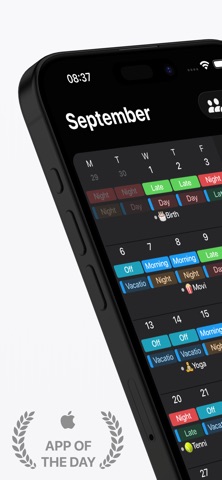
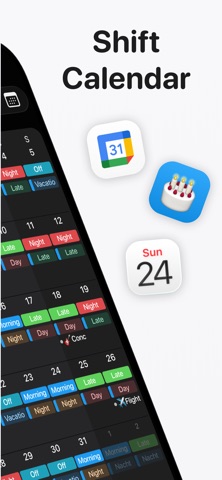
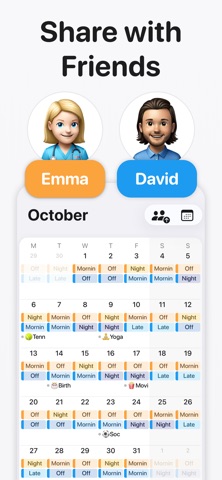
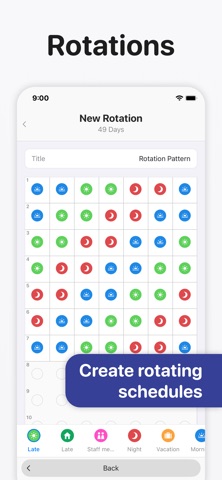
Supershift is the world's most downloaded and highest-rated shift calendar app on iOS. It is built specifically for nurses, doctors, paramedics, police officers, firefighters, factory and manufacturing workers, retail staff, airport crew, and bus, train, and tram drivers. No account required. No internet required. Open the app and start planning immediately - your schedule is yours, stored entirely on your device, and available anywhere from the ward to the cab to the factory floor. If you are looking for an alternative to bloated shift apps that track your data or force you to log in, Supershift is the cleaner and faster. WHY SHIFT WORKERS CHOOSE SUPERSHIFT • Multiple shifts per day: Easily schedule early + late shifts, main + on-call, split shifts, or second jobs. • Custom emojis & colors: Assign specific colors and icons to every shift type so you can read your month at a glance. • Full Dark Mode: A beautiful, eye-friendly dark mode for comfortable night-shift viewing. • No account required: Start using it in seconds. • Works fully offline: Your schedule is always accessible, even without a cell signal or Wi-Fi. CALENDAR SHARING Share your work schedule with family, partners, friends, or coworkers so everyone stays in sync. Coordinate shift swaps, check availability instantly, and cut out the endless back-and-forth texting. SMART SHIFT ALARMS Stop setting alarms manually every Sunday night. Assign a wake-up time to each shift type once, and Supershift automatically sets the right alarm for every early, late, or night shift based on your schedule. COMPLEX ROTATIONS Define your rotation pattern once and apply it up to 2 years in advance. Supershift effortlessly handles 4-on-4-off, DuPont, Pitman, Panama, Continental, 2-2-3, and any custom rotation you throw at it. REPORTS & TRACKING Track earnings, shift differentials, hours per shift type, overtime, and shift counts (e.g., vacation days, sick days, training days). Perfect for verifying payroll checks and simplifying tax time. APPLE WATCH Glance at current and upcoming shifts right from your wrist. Watch complications include countdown timers showing exactly when your shift starts and how much time is remaining. HOME SCREEN WIDGETS Keep your schedule front and center with Day, 2-week, 4-week, or Agenda view widgets right on your home screen and lock screen. CLOUD SYNC Use optional Cloud Sync to keep your iPhone and iPad perfectly aligned, and to instantly restore your data when you get a new device. SUPERSHIFT PRO FEATURES • iOS Calendar Export: Push your shifts directly to Apple Calendar, Google Calendar, or Outlook. • PDF Export: Create and share a polished PDF version of your monthly calendar complete with title, times, breaks, notes, location, and total hours worked. • External Calendar Integration: See birthdays, appointments, and personal events from your external calendars right alongside your shifts. Privacy Policy: https://supershift.app/privacy.html Terms of Use: https://www.apple.com/legal/internet-services/itunes/dev/stdeula/
What's new · 2026.38
This update is all about sounds! • Custom Alarm Sounds: Choose from a variety of sound effects and music tracks to customize your wake-up experience. (Supershift Pro) • Custom Edit Sounds: You can now customize the sound when editing events in the calendar. Just pick from a list of functional and funny sounds. In addition, we have made some bug fixes & improvements.
Details