

Scrolling Credits Pro
Dating DNA, Inc. · Photo & Video
Independent analytics for this App Store listing. AppTracker is not affiliated with Dating DNA, Inc.
Chart standing · US
What changed · US
Listing changes AppTracker has observed for this app in this storefront — new versions, price moves, rating shifts, and store copy.
Price & rating history · US
Reconstructed from the listing changes AppTracker has observed in this storefront. A field is charted once it has changed more than once, and each line starts at the value it moved from.
Average rating · ★ 4.50 now · 2 changes on record
Ratings breakdown · US
The star breakdown behind this app's rating in this storefront.
In-app purchases · US
No in-app purchases.
Screenshots




Keywords this app targets
Search terms AppTracker associates with this app — estimates, not search volume. ❝ = in the app's title; a highlighted number is its current position for that term.
Similar apps
Competitors and close alternatives, as estimated by AppTracker.
 Perfect Video
Beijing Perfect Frame Technology Co., Ltd.
Perfect Video
Beijing Perfect Frame Technology Co., Ltd.
 Videocraft: Video Maker
Mauricio Eastmond
Videocraft: Video Maker
Mauricio Eastmond
 Cute CUT Pro - Video Editor
波 余
Cute CUT Pro - Video Editor
波 余
 PicPlayPost: Video Editor
Mixcord Inc.
PicPlayPost: Video Editor
Mixcord Inc.
 Timecode Stamper
Alastair Bor
Timecode Stamper
Alastair Bor
 IntroMate - Intro Maker for YT
Ralph Hubner
IntroMate - Intro Maker for YT
Ralph Hubner
 Video Maker Pro - Slideshow
CloudEx Inc.
Video Maker Pro - Slideshow
CloudEx Inc.
 AppTrailer: Video Editor
Leonardo Amora
AppTrailer: Video Editor
Leonardo Amora
About
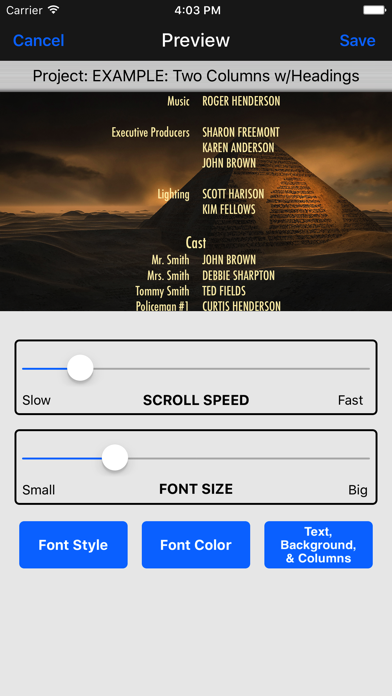
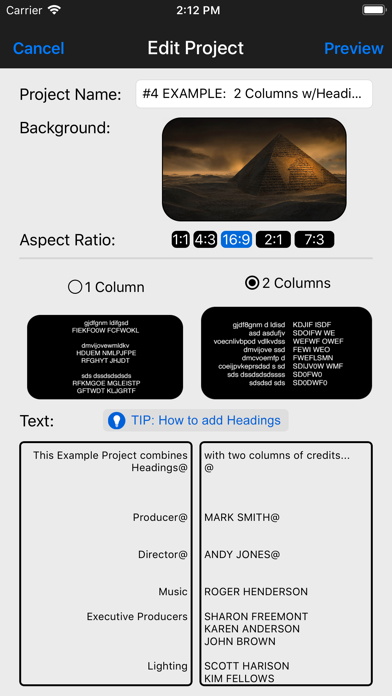
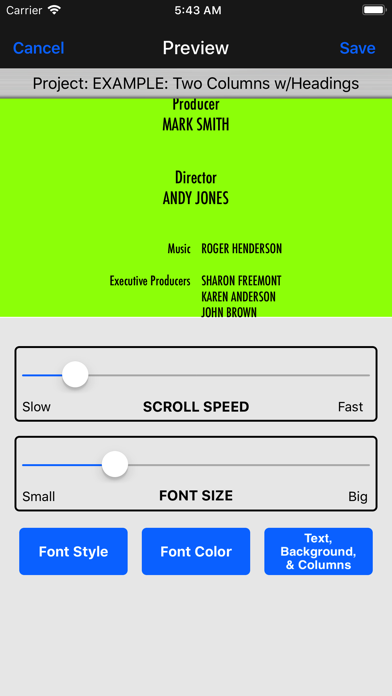
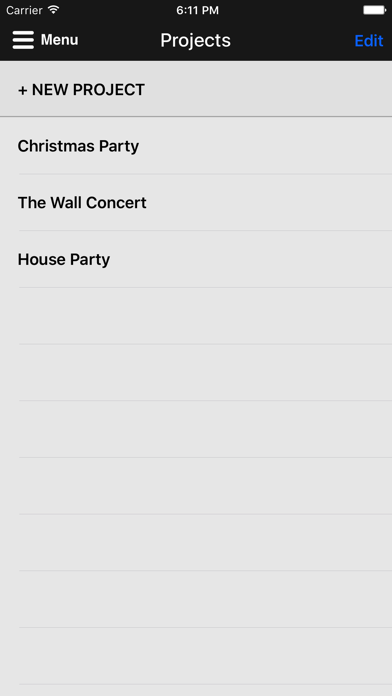
#1 must-have app for quickly and easily adding scrolling credits like you see in professional movies and TV shows to the beginning or ending of your videos. Also great for adding scrolling text to TikTok, Instagram, documentaries, sales, Facebook ads, and informational videos. CHECK OUT THESE PRO FEATURES: • Designed specifically to do scrolling credits! • Powerful, yet super easy to use--no learning curve! • Scroll credits over a flat background image or even video footage! • Supports one or two-column credits, just like the pros! • Easily add Headings to sections of credits! • Control font style, size, color, and scrolling speed! • Supports multiple SD/HD resolutions, including: SD 360p, HD 720p, HD 1080p and even Ultra HD 4K! • Supports multiple Aspect Ratios, including: 1:1, 4:3, 16:9 (landscape), 9:16 (portrait), and 2:1 (18:9). • Great for TikTok, Instagram or Facebook videos by using the 1:1 (square) or 9:16 (portrait) Aspect Ratios! • Smooth, non-jerky scrolling! • Includes dozens of HD backgrounds to choose from or upload your own! • Includes several "seamless" video loops (fire burning, flag waving, etc.) for motion-rich credits, or upload your own video footage! • Chroma Key "green screen" support! • Save and manage "projects," no need to start over to make a change! • Supports ALL devices (all sized iPhones and iPads)! ___________________________________________ HOW IT WORKS... 1. Choose from the dozens of backgrounds provided by the app (a solid color, a gradient color, an image, a "seamless" video loop, or a "green-screen" chroma key), or upload your own background image or video. 2. Enter the text you want to have scroll over the background you've selected. You can even use headings or two columns for your credits, just like the pros. 3. Preview what your scrolling credits will look like, adjusting the scrolling speed, aspect ratio, and the font style, color, and size. 4. When you're happy with how everything looks, the app will render and save an HD video clip to your device's Photo Library (Camera Roll). 5. Optionally, you can use iMovie or other video editing software, import the credits video clip, and drag it to where you want it to play in your movie (such as at the end for closing credits). ___________________________________________ Here are all the sizes supported for each of the different aspect ratios: ====== 1:1 ====== SD 360p (360 x 360) HD 720p (720 x 720) HD 1080p (1080 x 1080) Ultra HD 4K (2160 x 2160) ====== 4:3 ====== SD 360p (480 x 360) HD 720p (960 x 720) HD 1080p (1440 x 1080) Ultra HD 4K (2880 x 2160) ====== 16:9 (landscape) ====== SD 360p (640 x 360) HD 720p (1280 x 720) HD 1080p (1920 x 1080) Ultra HD 4K (3840 x 2160) ====== 9:16 (portrait) ====== SD 360p (360 x 640) HD 720p (720 x 1280) HD 1080p (1080 x 1920) Ultra HD 4K (2160 x 3840) ====== 2:1 (18:9) ====== SD 360p (720 x 360) HD 720p (1440 x 720) HD 1080p (2160 x 1080) Ultra HD 4K (4320 x 2160) ___________________________________________ Need help? Watch the included tutorial video and sample projects. (For the tutorial, pull down the Menu from the home page of app or visit scrollingcredits.com.) Still need help? Email us at support@clipish.net!
What's new · 2.11
Thank you for making Scrolling Credits Pro such a hit! Remember...High ratings keep us motivated to keep adding features. :-) Here's what's new in this update: - Added support iOS 16 and adjusted top navigation bar for devices with the new Dynamic Isalnd. - Fixed an issue where app would sometimes crash when doing 1-column projects. - Fixed an issue with previewing certain aspect ratio projects. - Misc. bug fixes and enhancements.
Details