

tpMiFi
TP-Link Systems Inc. · Productivity
Independent analytics for this App Store listing. AppTracker is not affiliated with TP-Link Systems Inc.
Chart standing · US
What changed · US
Listing changes AppTracker has observed for this app in this storefront — new versions, price moves, rating shifts, and store copy.
Fixed some bugs and improved the stability.
Ratings breakdown · US
The star breakdown behind this app's rating in this storefront.
In-app purchases · US
No in-app purchases.
Screenshots

About
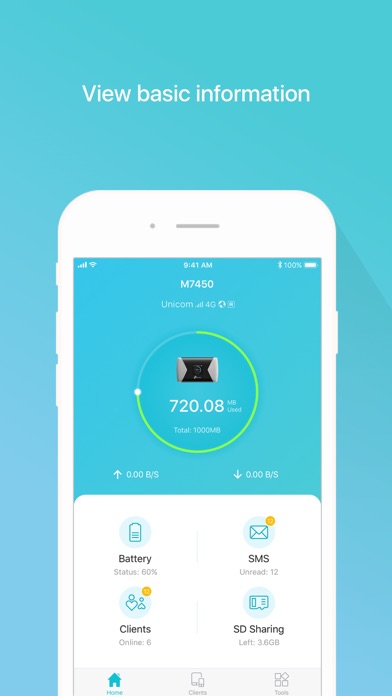
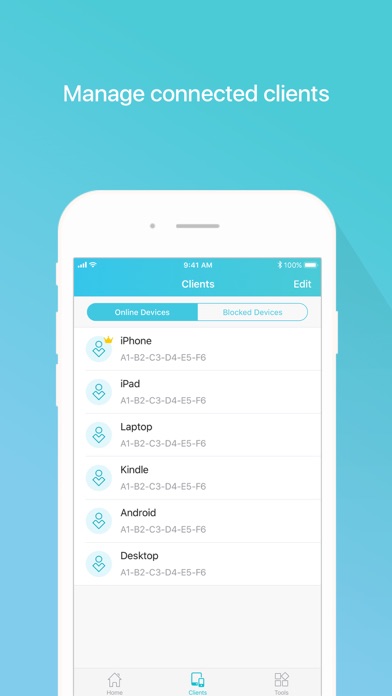
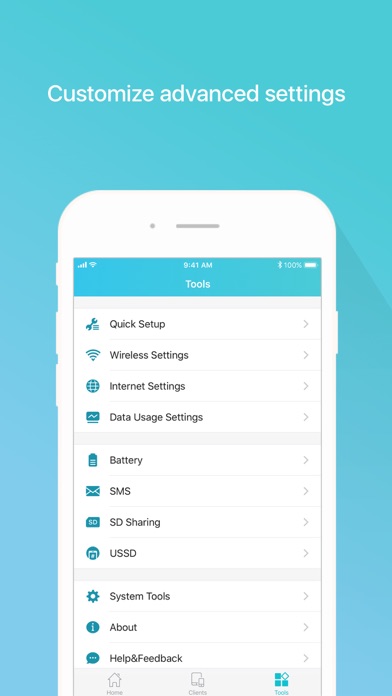
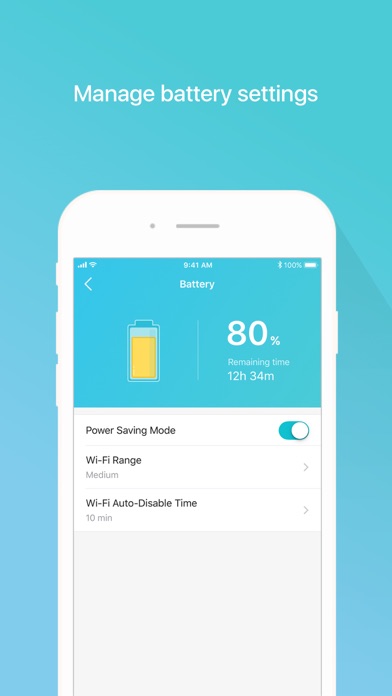
tpMiFi provides the easiest way to manage your TP-Link Mobile Wi-Fi via the connected iPhone. It allows you to manage your Mobile Wi-Fi's data usage, battery life and connected devices with a few taps. tpMiFi management is available only after the iPhone is connected to the Wi-Fi network of TP-Link Mobile Wi-Fi. Disconnected from the MiFi will appear on the interface if the device is not connected to the Mobile Wi-Fi. Login to take fully control of your Mobile Wi-Fi and the login username and password are the same as the administrator username and password of the Mobile Wi-Fi. Features: -Display network status such as carrier information, signal strength and roaming status. -Control data usage such as currently used data and monthly allowance, and adjust used data at your disposal. -Manage connected devices, block the unwelcome device by simply sliding the corresponding entry and tap Block. -Monitor your Mobile Wi-Fi's battery life in real-time and switch it to power saving mode. -Share, download and upload files in the SD card in your Mobile Wi-Fi. -Customize wireless settings such as your Mobile Wi-Fi's SSID and wireless password. -Other functionality including firmware upgrade, power off, reboot, and factory default restore. Compatible List: tpMiFi can be used on the following devices: M7650, M7450, M7350, M7310, M7300, M7200, M7010, M7000
What's new · 2.4.50
Fixed some bugs and improved the stability.
Details