

Reolink
Reolink Digital Technology Co., Ltd. · Utilities
Independent analytics for this App Store listing. AppTracker is not affiliated with Reolink Digital Technology Co., Ltd.
Chart standing · US
What changed · US
Listing changes AppTracker has observed for this app in this storefront — new versions, price moves, rating shifts, and store copy.
1.Day & Night: Features have been redesigned with an updated UI. 2.Display: Features have been regrouped, with updated wording for improved clarity. 3.Event History: The Event Type filter now remembers your last selection, making it easier to quickly view the event types you care about. 4.Quick Access on Home Page: Icons such as Wi-Fi and Storage on the camera home page are now clickable, providing quick access to the corresponding settings pages. 5.Auto Framing: For OMVI series cameras, when Auto Framing is enabled in Classic Player mode, you'll be prompted to also enable Full-Screen mode. 6.Image Stitching: Adjust stitching settings with a slider instead of the previous +/- controls.
Price & rating history · US
Reconstructed from the listing changes AppTracker has observed in this storefront. A field is charted once it has changed more than once, and each line starts at the value it moved from.
Average rating · ★ 4.02 now · 2 changes on record
Ratings breakdown · US
The star breakdown behind this app's rating in this storefront.
In-app purchases · US
No in-app purchases.
Screenshots


Keywords this app targets
Search terms AppTracker associates with this app — estimates, not search volume. ❝ = in the app's title; a highlighted number is its current position for that term.
Similar apps
Competitors and close alternatives, as estimated by AppTracker.
 Wansview FC
Kevin Siml
3 shared topics
Wansview FC
Kevin Siml
3 shared topics
 Smart Security Camera App
On Hand Apps - FZCO
1 shared topic
Smart Security Camera App
On Hand Apps - FZCO
1 shared topic
 Security Camera Home App
Driving Theory Test LLC
1 shared topic
Security Camera Home App
Driving Theory Test LLC
1 shared topic
 ipCam FC - for IP Cameras
Kevin Siml
2 shared topics
ipCam FC - for IP Cameras
Kevin Siml
2 shared topics
 ICRSS PRO
ICRealtime LLC
ICRSS PRO
ICRealtime LLC
 Tactacam REVEAL
Tactacam LLC
1 shared topic
Tactacam REVEAL
Tactacam LLC
1 shared topic
 Hik-Connect - for End user
Hangzhou Hikvision Digital Technology Co., Ltd.
1 shared topic
Hik-Connect - for End user
Hangzhou Hikvision Digital Technology Co., Ltd.
1 shared topic
 Security Camera - Smart Camera
Trendata Limited
2 shared topics
Security Camera - Smart Camera
Trendata Limited
2 shared topics
About
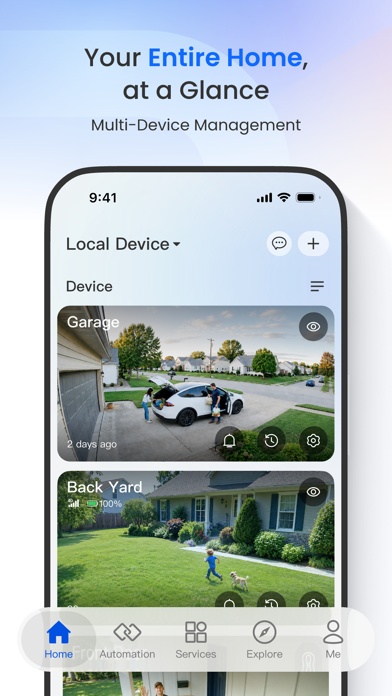
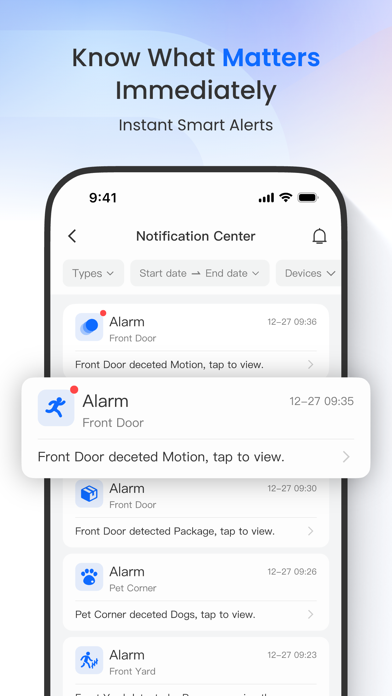
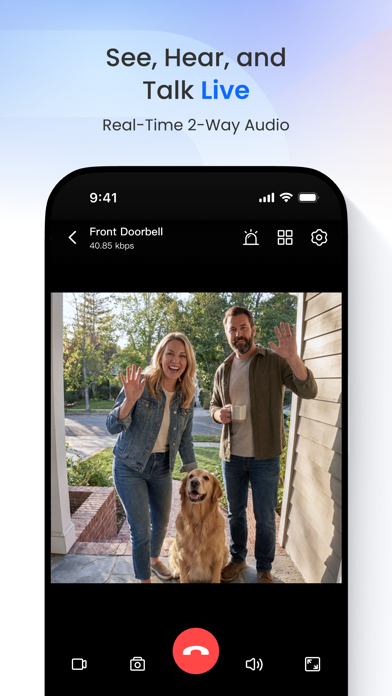
Reolink App is an easy-to-use security camera system surveillance app. It enables you to locally or remotely access your IP cameras and NVRs on mobile devices. You can monitor and watch live streaming of your home and business anywhere and anytime. It helps you easily get peace of mind. Key Features: 1. Only 3 steps to access cameras and NVRs (at the same local network) --- the easiest solution ever. 2. Easy and friendly interface for all users to use. 3. Remotely monitor and watch live streaming via 3G/4G or WiFi anywhere and anytime. 4. Multi-channel viewing (up to 16 channels) on screen at the same time. 5. Remotely playback video recording from your camera SD card and NVR HDD. 6. Capture video from live view channels on your mobile device to playback. 7. Capture single and multiple images to save on your mobile device. 8. Get emails or push notifications in real time when motion detection is triggered. 9. Schedule video recording (including motion-triggered recording) at anytime. 10. Control PTZ (pan-tilt-zoom) cameras remotely (left, right, up and down). Note: Reolink App is compatible with NVRs and IP Cams from Reolink. More Supports: Facebook: https://www.facebook.com/ReolinkTech/ Twitter: https://twitter.com/ReolinkTech Contact: https://reolink.com/contact-us/ YouTube: https://www.youtube.com/channel/UCEHKZX6fFVtWd4tnnRkzrMA
What's new · 4.63.1
1.Day & Night: Features have been redesigned with an updated UI. 2.Display: Features have been regrouped, with updated wording for improved clarity. 3.Event History: The Event Type filter now remembers your last selection, making it easier to quickly view the event types you care about. 4.Quick Access on Home Page: Icons such as Wi-Fi and Storage on the camera home page are now clickable, providing quick access to the corresponding settings pages. 5.Auto Framing: For OMVI series cameras, when Auto Framing is enabled in Classic Player mode, you'll be prompted to also enable Full-Screen mode. 6.Image Stitching: Adjust stitching settings with a slider instead of the previous +/- controls.
Details