

Layapp – Collage Maker
TREIDSENS GLOBAL, TOO · Photo & Video
Independent analytics for this App Store listing. AppTracker is not affiliated with TREIDSENS GLOBAL, TOO.
Chart standing · US
What changed · US
Listing changes AppTracker has observed for this app in this storefront — new versions, price moves, rating shifts, and store copy.
Price & rating history · US
Reconstructed from the listing changes AppTracker has observed in this storefront. A field is charted once it has changed more than once, and each line starts at the value it moved from.
Average rating · ★ 4.39 now · 2 changes on record
Ratings breakdown · US
The star breakdown behind this app's rating in this storefront.
In-app purchases · US
What this app sells inside itself, grouped by kind and priced for this storefront.
Screenshots


About
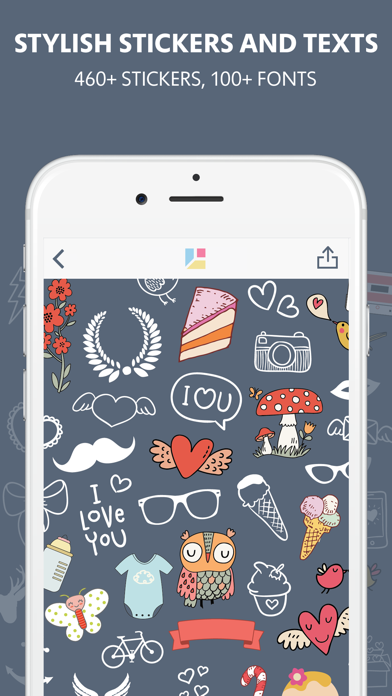
Layapp – is a professional collage maker that allows you to create your own creative photo collage. We’ve designed lots of collage layouts for different purposes. Layapp offers you shaped frames to help you achieve all your creative goals. Having a great set of filters and photo editing tools Layapp is as functional as any other professional photo editor. When your collage is ready, don’t forget to sign it and decorate it with cool stickers. Layapp has a set of stickers that will turn your collage into an exciting story! CREATE YOUR OWN UNIQUE COLLAGE - More than 190 adjustable collage patterns; - Flexible collage editing: change frame thickness, indent size, corner-curving, shade adding; - Create collages in the shape of a rectangle, triangle, circle, and even heart; - Auto Layout function enables you to create your collage instantaneously: just choose the pictures and the app will suggest the best collage options; - It’s easy to change photos inside collage: just press and hold the photo to swap it with other photo; - Rotate the photo in the collage frame, enlarge or reduce its size; - You’ll be pleased with the Intuitive interface! ADD FRAMES AND BACKGROUND TO YOUR COLLAGE - Stylish frames include a variety of patterns; - More than 80 background patterns: flowers, stars, candies, cakes, clouds, hearts e.t.c; - You can choose monochrome background from a rich color palette; EDITING TOOLS: UNIQUE FILTERS AND STYLISH EFFECTS - You can apply filters and effects to each photo in a collage; - Lots of terrific filters and effects will make your photo outstanding; - Adjust the intensity of filters; - Use the following editing tools: brightness, contrast, expose, sharpness; - Change the position of the photo in the collage, use rotation, vertical or horizontal flip; - Tap on the photo to get the additional editing menu; - Tap on the photo twice to restore rotation settings. STYLISH STICKERS AND FONTS - Add romantic stickers to your photo collage to make your significant other happy; - Hipster moustache, hats and bow ties stickers will make your photo funny and stylish; - Animal stickers will make your photo funny; - Express your emotions by adding text to your collage; - Wide choice of text fonts; - Regulate text position, size and color. PUBLISH YOUR COLLAGE IN HIGH RESOLTION TO SOCIAL NETWORKS - High resolution of the photo! - Choose the quality of the picture you save; - Share your collage in instagram, facebook or import it to any other application; Use #layapp when posting photos. We’ll find your photos and post the best ones in our popular accounts with thousands of followers mentioning you as an author. Moreover, using #layapp you help spreading the application through your friends who will thank you for a great recommendation. Follow us on Instagram: @layapp
What's new · 1.2.1
- Fixed bug with access to photo library - Added support of iPhone X, XS, XS Max, XR - Bug fixes
Details