

Mavis Camera: Pro Capture
Mavis Broadcast Ltd · Photo & Video
Independent analytics for this App Store listing. AppTracker is not affiliated with Mavis Broadcast Ltd.
Chart standing · US
What changed · US
Listing changes AppTracker has observed for this app in this storefront — new versions, price moves, rating shifts, and store copy.
This update adds support for SKAARHOJ remote controllers
Ratings breakdown · US
The star breakdown behind this app's rating in this storefront.
In-app purchases · US
What this app sells inside itself, grouped by kind and priced for this storefront.
Screenshots


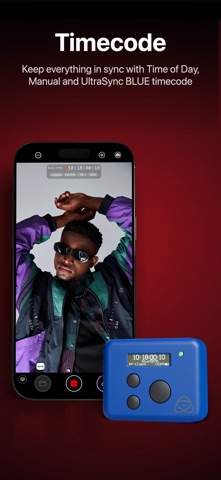

About
Whether you're a streamer building a channel, an industry veteran looking for new ways of working or a creator with a passion for filmmaking, Mavis Camera has something for you. -- MAIN FEATURES -- • Record in a range of resolutions, frame rates, and codecs including Open Gate, HEVC 10-bit, ProRes and ProRes RAW • Record and preview using custom LUTs, and achieve a filmic look with built-in Filter LUTs • Monitor tools including focus peaking, zebras, false color, expanded focus, guides, flip • Manual camera controls including focus, exposure, shutter and color • Hardware Remote Controllers: SKAARHOJ, Teradek RT, CyanView RCP, Tilta Nucleus (USB dongle only) • NDI® Send and Receive HX3 Certified • Pro HDMI output • HDMI input via Atomos Ninja Phone support • HDMI / SDI input via Accsoon SeeMo series support • Adobe Frame.io Camera to Cloud • Streaming including YouTube, Twitch, Instagram and Facebook • Custom audio inputs • Audio mixer including gain, pan and solo controls for individual channels • Real-time audio passthrough for monitoring in headphones • HDR video pipeline • Custom RTMP destination & SRT (TX Caller) streaming • Mavis C2C including Framelight X, MediaSilo, Sony Ci & Amazon S3 • Mavis Cloud Hub remote configuration for Mavis C2C and streaming settings • Timecode including Time-of-Day, Offset and UltraSync BLUE • Vertical and landscape recording and streaming • API -- AUDIO TOOLS -- • Integrated audio mixer with stereo output • Gain & pan control per input channel • External mic inputs • Internal mic selection • Multi-track ISO recording • Bluetooth monitoring -- CONNECTED WORKFLOWS -- NDI • Send or Receive with NDI • NDI HX3 Certified • Automatically find all NDI sources on local network • Set NDI Groups, Discovery Server, UDP/TCP Mode Camera to Cloud • Mavis C2C integrations with Framelight X, MediaSilo, Sony Ci & Amazon S3 • Direct integration with Adobe Frame.io • Direct integration with Atomos ATOMOSphere • Progressive uploads while you record • Manage Mavis C2C devices from hub.mavis.cloud Live Streaming • Vertical and landscape streaming • Simultaneously record and stream • Custom RTMP and SRT Caller destinations • Manage Streaming devices from hub.mavis.cloud -- CAMERA CONTROLS -- Manual controls including • Focus • Exposure • ISO • Shutter • Color temperature • Shutter lock • Custom frame rates • Range of resolutions • Range of bitrates • Codecs including ProRes -- MONITOR TOOLS -- What they do • Mavis LUTs let you record or preview your footage with a filmic grade, helping you visualise the final look while you shoot • Focus peaking and expanded focus features help you achieve consistently sharp and precise shots • Zebras help ensure your shots are never overexposed • Guides help you frame your shot • Aspect Ratio overlay lets you preview your image in a different width/height • Waveform monitor helps you shoot with the optimal dynamic range • Vectorscope helps maintain consistent colors and ensures accurate white balance Notable settings • Record and preview LUTs • Focus peaking color and sensitivity • Guides including thirds, portrait safe and square • Zebras, color and sensitivity range • Aspect Ratio overlay cross hairs, safe area and transparency -- API -- • Control the internal camera from an API • Discover and learn the API with a built in API Playground web server • Develop your own control interfaces with a WebSocket based interface • Full RCP based control including color shading • Secure your connections with API keys Device restrictions apply. Some features require In-App Purchase or App Subscription. Check out the support pages for full details - support.mavis.cloud EULA - https://www.apple.com/legal/internet-services/itunes/dev/stdeula/ Mavis Camera was developed by people who love what they do. We hope you enjoy it as much as we do! :-)
What's new · 8.2.4
This update adds support for SKAARHOJ remote controllers
Details