

Glazba – Music Player
Pavel Alekseev · Music
Independent analytics for this App Store listing. AppTracker is not affiliated with Pavel Alekseev.
Chart standing · US
What changed · US
Listing changes AppTracker has observed for this app in this storefront — new versions, price moves, rating shifts, and store copy.
Ratings breakdown · US
The star breakdown behind this app's rating in this storefront.
In-app purchases · US
No in-app purchases.
Screenshots


Similar apps
Competitors and close alternatives, as estimated by AppTracker.
 CloudBeats: Cloud Music Player
Roman Burda
CloudBeats: Cloud Music Player
Roman Burda
 Cloud Music Offline Player mp3
Astakhov Constantine
Cloud Music Offline Player mp3
Astakhov Constantine
 Cloud Music Player - Listener
继勋 于
Cloud Music Player - Listener
继勋 于
 Cloud Music App Pro
BEARD BITS S.L.
Cloud Music App Pro
BEARD BITS S.L.
 Stream Music Player
Yew Chen Chung
Stream Music Player
Yew Chen Chung
 Evermusic: Cloud Music Player
EVERAPPZ SL
Evermusic: Cloud Music Player
EVERAPPZ SL
 Music Player Offline
tv remote screen mirroring llc
Music Player Offline
tv remote screen mirroring llc
 Off-Grid Music Player
Dean Hipkiss
Off-Grid Music Player
Dean Hipkiss
About
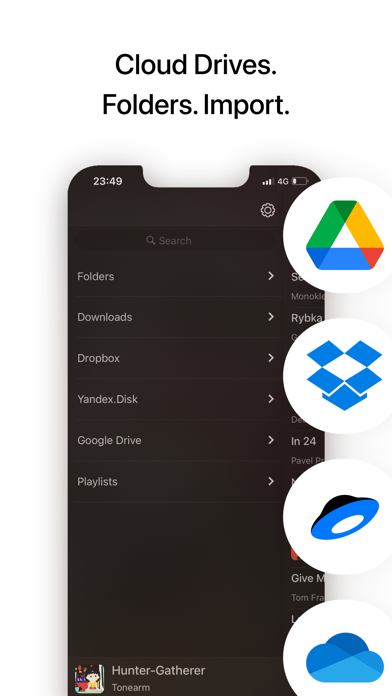
Listen music from your favourite cloud storage service (Google Drive, Dropbox, OneDrive, Yandex.Disk), download tracks for offline access. Or upload music from PC/Mac directly using WiFi or cable. Main feature is the playlist, where you can drop music with a simple gesture. It really feels that easy: you can quickly made a playlist you need right now out of hundreds of tracks you have. All the tracks in this playlist will be nicely separated by albums or folders. Folders. You can upload music from your PC/Mac straight into the player app. All your highly structured music collection… or just a jumble of tracks. Upload entire “E:\music” folder and it will appear as is in the application (look below for instructions). If you used to sync with iTunes or have an Apple Music subscription, it is supported as well. The rest: - Real waveform instead of boring position slider. - Covers for albums. - Last.fm scrobbling. - Support for FLAC, radio-streams and many more audio formats. Enjoy! ————— How to upload music from PC/Mac: Method #1. - Connect your iPhone/iPad. - Launch iTunes. - Go to Apps and scroll down to File Sharing. - Find “Glazba”. - Drag and drop any files or folders with music into Glazba Documents. Method #2. - Check that you iPhone and computer are connected to the same WiFi. - Enable WiFi Upload in the app (Folders -> WiFi Upload). - In the browser on computer go to specified URL (something like http://192.168.1.140). - Create/rename/delete folders and drag and drop music files directly into browser page.
What's new · 2.5.0
- Fixed an issue when next track won't start in background. - Redesigned track screen. - Support for iPhone 14 Pro. - Other improvements.
Details