

ReaderView
AppBlit LLC · Productivity
Independent analytics for this App Store listing. AppTracker is not affiliated with AppBlit LLC.
Chart standing · US
What changed · US
Listing changes AppTracker has observed for this app in this storefront — new versions, price moves, rating shifts, and store copy.
ReaderView 8.8.50 improves conversations, highlights, and article navigation: - Better importing and formatting of ChatGPT conversations - User prompts now provide quick navigation through ChatGPT conversations - New native Contents and Highlights panels - Swipe to delete highlights - More accurate jumps to highlights and sections - Native image viewer with pinch and double-tap zoom - Correct image sizing in imported ChatGPT content - Video transcripts now display a consistent video indicator - Fixed highlight actions unexpectedly triggering text-to-speech - Additional layout and reliability improvements
In-app purchases · US
What this app sells inside itself, grouped by kind and priced for this storefront.
Screenshots


About
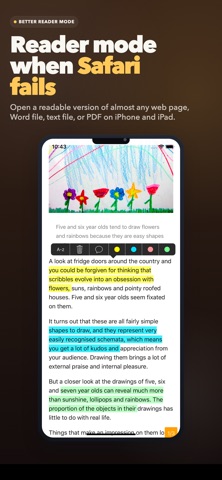
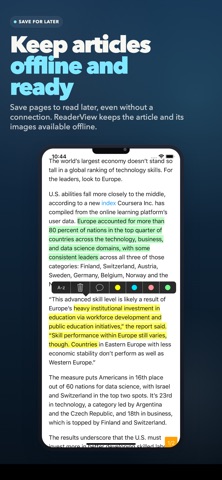
Web pages, documents, podcasts, and videos can be difficult to save, read, and search later. ReaderView transforms them into clean, distraction-free articles so you can focus on what matters. Save content for later, read offline, highlight important passages, and quickly find them again. ReaderView works with: - Web articles and blog posts - PDF documents, including images, tables, and mathematical formulas - Word documents and text files - Apple Podcasts and Spotify podcast episodes - YouTube videos - Vimeo and Dailymotion videos - X/Twitter posts, long-form articles, and videos TRANSCRIPTS THAT FEEL LIKE ARTICLES ReaderView looks for publisher-provided captions before generating a transcript, giving you faster and more accurate results whenever captions are available. With media transcripts, you can: - Read while listening or watching - Tap a word or timestamp to jump to that moment - Follow synchronized highlighting and automatic scrolling - Summarize any article with on-device Apple Intelligence (supported devices only) - Navigate with source-provided or automatically generated chapters - Play, pause, seek, and adjust playback speed - Show or hide videos for a distraction-free reading experience - Keep videos visible while scrolling when shown - Cancel queued transcriptions - Download source media when available READ, ORGANIZE, AND FIND EVERYTHING - Open a clean Reader View with a single tap - Listen with high-quality voices that work offline - Save articles and images for offline reading - Highlight passages and add notes - Search across your entire library - Find text within individual articles - Organize articles into folders - Sync across devices with iCloud - Find saved articles using Spotlight - Read comfortably with Dark Mode and Auto-Scroll - Support for Asian and right-to-left languages, including Arabic and Hebrew COPY, SHARE, AND EXPORT Export articles as plain text, Markdown, HTML, WebVTT, or PDF. You can also copy or share the original link. WebVTT is available for timestamped media transcripts. Share content with ReaderView from Safari, Apple News, X/Twitter, Feedly, YouTube, Apple Podcasts, Spotify, Word, and many other apps. When captions are unavailable, automatic on-device transcription for podcasts and X/Twitter videos requires iOS 26 or later. Have feedback or ideas? Contact laurent@appblit.com. If ReaderView helps you, an App Store review would mean a lot.
What's new · 8.8.50
ReaderView 8.8.50 improves conversations, highlights, and article navigation: - Better importing and formatting of ChatGPT conversations - User prompts now provide quick navigation through ChatGPT conversations - New native Contents and Highlights panels - Swipe to delete highlights - More accurate jumps to highlights and sections - Native image viewer with pinch and double-tap zoom - Correct image sizing in imported ChatGPT content - Video transcripts now display a consistent video indicator - Fixed highlight actions unexpectedly triggering text-to-speech - Additional layout and reliability improvements
Details