

Trigraphy: Photo to Art
Nixes EOOD · Photo & Video
Independent analytics for this App Store listing. AppTracker is not affiliated with Nixes EOOD.
Chart standing · US
What changed · US
Listing changes AppTracker has observed for this app in this storefront — new versions, price moves, rating shifts, and store copy.
New in 4.5.1 • Light Mode fixes: the font picker, AI Edit and text editing are now easy to read • Dark text stays visible while you type it • Fixed a crash when photo access was declined Also new in 4.5 • AI Edit: describe a change and watch your layer transform. Pro includes AI credits, and credit packs are available anytime • Text layers: add titles in bold display fonts, then turn them into art with any effect
Ratings breakdown · US
The star breakdown behind this app's rating in this storefront.
In-app purchases · US
What this app sells inside itself, grouped by kind and priced for this storefront.
Screenshots




About
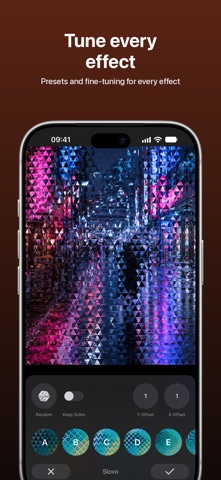
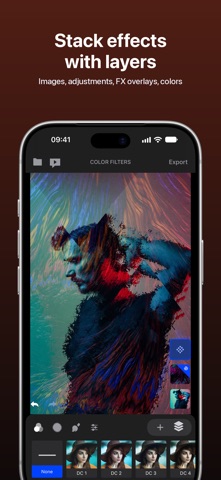
Blend photos, glitch them, distort them and turn them into trippy abstract art. Trigraphy gives you 116 generative effects, layers with blend modes, masks, text and AI Edit, so every image is yours to shape. Then export it in high resolution. Make album covers, posters and art prints, give ordinary photos an artistic twist, or build complex digital artwork on your iPhone or iPad. FEATURES • AI Edit: describe a change in your own words and watch your layer transform • 116 generative art presets, each with its own settings: low poly, circles, strokes, pixel sorting, distortion and more • Layers: photos (JPG or transparent PNG), text, adjustments, FX overlays and solid colors • Blend modes and opacity for double exposures and photo blends • Text in bold display fonts, ready for any effect • Masks on every layer: paint them, or mask the subject or the background in one tap • Tap to select objects for masking (iOS 27) • Color filters, duotones and material textures • Curated FX overlays: fractals, lights, liquids and abstract textures with ready-made settings • Hue, contrast, brightness and saturation • Undo and redo, auto save, and projects you can re-edit any time • Import from Photos, Files, Unsplash and Pixabay • Export in high resolution, including transparent PNG • Share your art straight to your favorite apps • Featured artists feed for inspiration TRIGRAPHY PRO Full use of Trigraphy requires Trigraphy Pro, a monthly or yearly subscription. The yearly plan starts with a 3-day free trial. Pro includes AI credits: 15 a month with the monthly plan or 180 a year with the yearly plan. Each AI Edit uses 1 credit, and credits never expire. Credits are added when your paid subscription starts. Credit packs are available as in-app purchases. Payment is charged to your Apple Account when you confirm the purchase. Subscriptions renew automatically unless canceled at least 24 hours before the end of the current period. You can manage or cancel them in your Apple Account settings. COMMERCIAL USE Allowed with Trigraphy Pro. Terms of Use: https://trigraphyapp.com/termsofuse/ Privacy Policy: https://trigraphyapp.com/privacy/ Questions? Visit trigraphyapp.com or find us on Instagram: @trigraphyapp
What's new · 4.5.1
New in 4.5.1 • Light Mode fixes: the font picker, AI Edit and text editing are now easy to read • Dark text stays visible while you type it • Fixed a crash when photo access was declined Also new in 4.5 • AI Edit: describe a change and watch your layer transform. Pro includes AI credits, and credit packs are available anytime • Text layers: add titles in bold display fonts, then turn them into art with any effect
Details