

Wax
John Haas · Graphics & Design
Independent analytics for this App Store listing. AppTracker is not affiliated with John Haas.
Chart standing · US
What changed · US
Listing changes AppTracker has observed for this app in this storefront — new versions, price moves, rating shifts, and store copy.
Screenshots



About
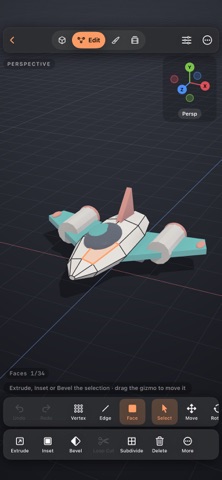
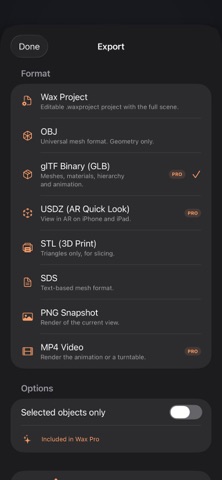
Make 3D props, characters and scenes on iPhone and iPad. Start with a shape, import a model, or open one of five editable examples. MODEL Edit vertices, edges and faces. Extrude faces, inset details, bevel edges and add loop cuts. Mirror, Subdivision Surface, Array and Smooth modifiers stay editable. SCULPT AND PAINT Push, pull and smooth a mesh with brushes, symmetry and masks. Paint colors onto the mesh, add image textures, and place reference images in your scene. Apple Pencil pressure can control brush size and strength. ANIMATE Keyframe position, rotation and scale. Adjust timing on the timeline and motion in the curve editor. Add cameras to frame your scene. KEEP YOUR PROJECT EDITABLE Save and share .waxproject files with the full scene, including materials, textures, modifiers and animation. Open them on another device to keep working. Older .wax projects still open, and importing a project creates a separate copy. Import OBJ and self-contained GLB or glTF models. GLB/glTF files must contain their own mesh data and textures; separate buffer and image files are not supported. Model import does not bring in animation. Use Wax project files to transfer an editable Wax scene. FREE TO USE Modeling, sculpting, painting, animation, modifiers, model import and unlimited projects are free. Export editable Wax projects, OBJ, STL, SDS and PNG images without buying Pro. WAX PRO • Combine shapes, cut holes and find intersections with booleans. • Rebuild a mesh for sculpting with voxel remesh. • Export animations and turntables as MP4 videos. • Export GLB files with materials and animation for use in other 3D apps, games and the web. • Export USDZ files to view your models in AR. Wax Pro is a one-time purchase with Family Sharing. No subscription. LEARN BY EDITING Open a robot, spacecraft, painted creature, speaker or animated example and change it yourself. A guided tour, gesture help, keyboard shortcuts and a left-handed layout are included. No account is required. Projects are stored on your device and are available in Files.
Details