

Total Plus:Shopping Calculator
Filemon Salas · Productivity
Independent analytics for this App Store listing. AppTracker is not affiliated with Filemon Salas.
Chart standing · US
What changed · US
Listing changes AppTracker has observed for this app in this storefront — new versions, price moves, rating shifts, and store copy.
- Share items from the Cart: Share items directly from the cart. - General Fixes: Fixed issue with Essential features. Fixed issue with Categories allowing to delete the Uncategorized category.
Price & rating history · US
Reconstructed from the listing changes AppTracker has observed in this storefront. A field is charted once it has changed more than once, and each line starts at the value it moved from.
Average rating · ★ 4.60 now · 2 changes on record
Ratings breakdown · US
The star breakdown behind this app's rating in this storefront.
In-app purchases · US
What this app sells inside itself, grouped by kind and priced for this storefront.
Screenshots





About
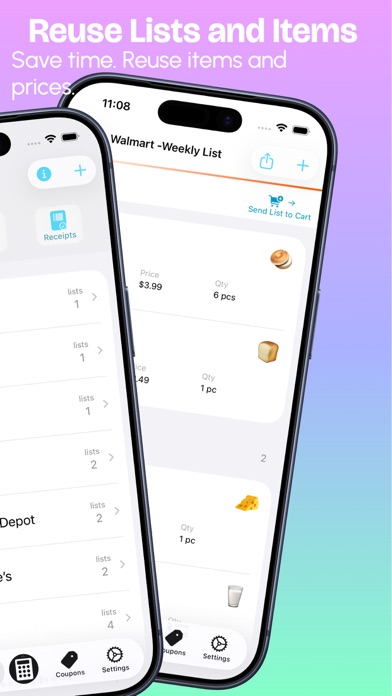
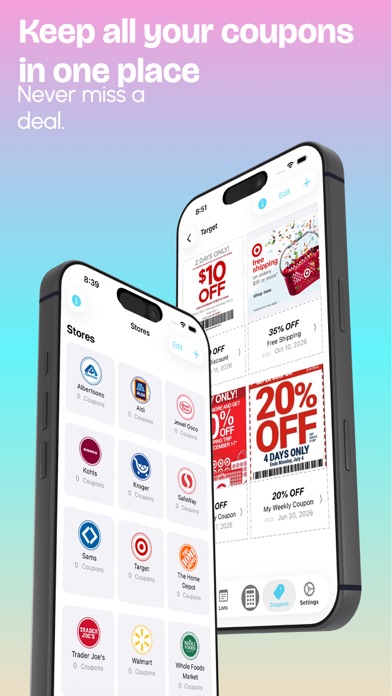
Save Money. Stay on Budget. Total Plus helps you calculate shopping totals with tax and discounts. Perfect for grocery lists or quick price checks while shopping. Track how much you’ll pay at the register. Add up to 5 discounts per item, reuse lists to save time and auto-detect sales tax (US only). No ads. Calculate items by quantity or by weight (Pounds or Kilograms). Compare prices from previous purchases. Instant tax and discount calculations for single or multiple items. Ideal for calculating big shopping lists or simply use it as a price and discount calculator. FEATURES: - Instant Calculations - See your total as you type the price, discount, and quantity - Auto Tax Detection (US only). - Multiple discounts. Add up to five, money, or percentage discounts. - Calculate by quantity or by weight (Pounds or Kilograms) - Name your items - Add comments to your items - Save lists for later price comparison - Reuse lists and items to save time typing product names - Copy Lists - Multiple custom sales tax rates - Override default custom tax rates when entering new items - Quick non-taxable button for zero tax(VAT) items - Quick decimal keys for easier and faster typing - Quick discount keys for easier and faster typing - Calculate multiple items - Calculate total sales - Calculate sales taxes - Calculate discounts - See how much you will pay in taxes for each item - See how much you will pay in taxes for all items - See how much you are going to save on each item - See how much you are going to save on all items - Remove individual or all items from the list - Share your shopping lists by email, message etc. - Apple Watch Support - View the items in your shopping list or make quick calculations on your wrist - No annoying ads. We hate ads as much as you do. Download it today. Enjoy! Terms of Use: http://filysalas.com/terms-of-use
What's new · 10.5.1
- Share items from the Cart: Share items directly from the cart. - General Fixes: Fixed issue with Essential features. Fixed issue with Categories allowing to delete the Uncategorized category.
Details