

PhotoInfo -EXIF,GPS,remove GPS
Youngwan Choi · Photo & Video
Independent analytics for this App Store listing. AppTracker is not affiliated with Youngwan Choi.
Chart standing · US
What changed · US
Listing changes AppTracker has observed for this app in this storefront — new versions, price moves, rating shifts, and store copy.
• The minimum system requirement has been changed to iOS 15. • Stability has been improved.
Ratings breakdown · US
The star breakdown behind this app's rating in this storefront.
In-app purchases · US
No in-app purchases.
Screenshots


Keywords this app targets
Search terms AppTracker associates with this app — estimates, not search volume. ❝ = in the app's title; a highlighted number is its current position for that term.
Similar apps
Competitors and close alternatives, as estimated by AppTracker.
 Exif Viewer - Photo Metadata
婧 李
2 shared topics · 1 shared title word
Exif Viewer - Photo Metadata
婧 李
2 shared topics · 1 shared title word
 EXIF Tool - Metadata Tool
Dongwook Cho
2 shared topics · 1 shared title word
EXIF Tool - Metadata Tool
Dongwook Cho
2 shared topics · 1 shared title word
 EXIF Cleaner: Photo Metadata
Halit Seyfullah Baskurt
1 shared title word
EXIF Cleaner: Photo Metadata
Halit Seyfullah Baskurt
1 shared title word
 ViewExif
Skyjos Co., Ltd.
2 shared topics
ViewExif
Skyjos Co., Ltd.
2 shared topics
 PhotInfo
Enrico Bonaldo
1 shared topic
PhotInfo
Enrico Bonaldo
1 shared topic
 ImagExif 2 - edit exif data
Thomas Oswald
1 shared topic · 1 shared title word
ImagExif 2 - edit exif data
Thomas Oswald
1 shared topic · 1 shared title word
 EXIF Viewer by Fluntro
Fluntro
1 shared topic · 1 shared title word
EXIF Viewer by Fluntro
Fluntro
1 shared topic · 1 shared title word
 Exif Wizard-Pro
homedatasheet.com, Inc.
1 shared topic · 1 shared title word
Exif Wizard-Pro
homedatasheet.com, Inc.
1 shared topic · 1 shared title word
About
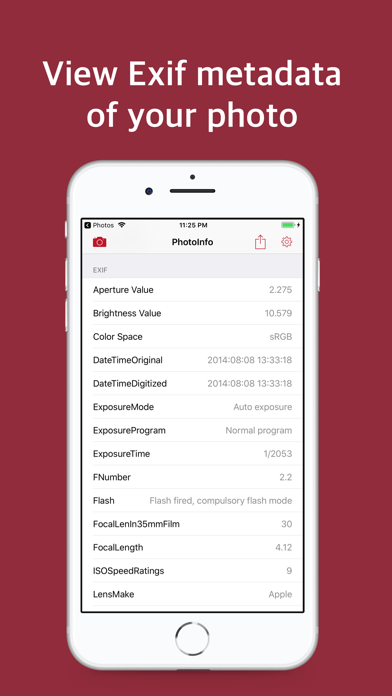
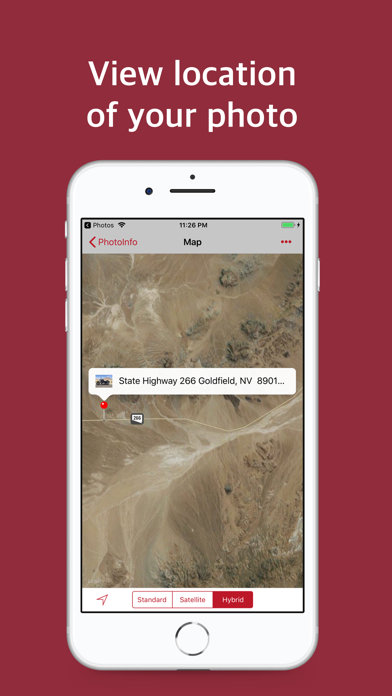
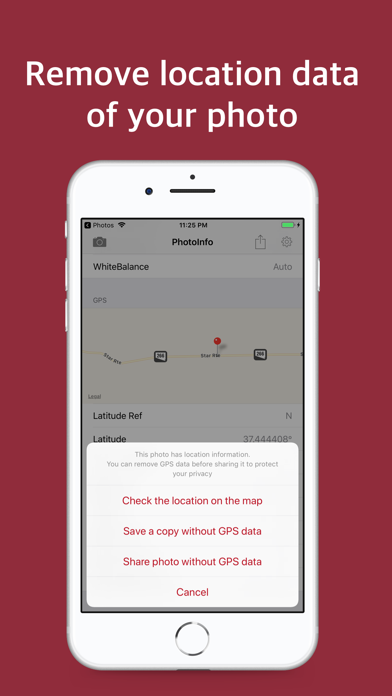
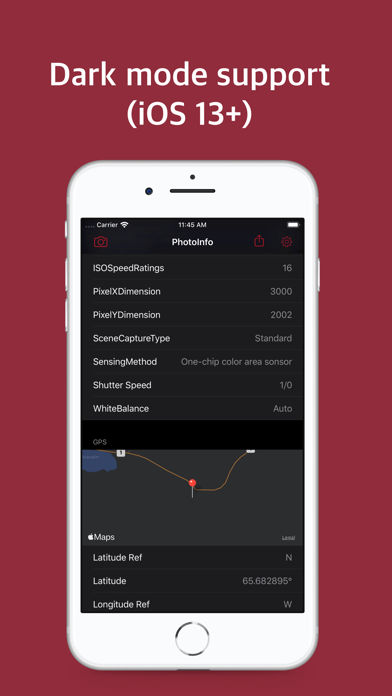
You can view the location where the picture was taken and the picture extension information (EXIF), and delete it. The Apple Photos photo extension app that allows you to instantly view your photo information from Apple Photo app. ◉ View EXI F Extended Information • Filename, size, creation date • Picture resolution • Manufacturer, model and software • Lens manufacturer, lens model • Aperture value, brightness value, exposure information, F value, ISO speed grade • White Balance, Shutter Speed • GPS Latitude, Longitude ◉ See where your photos were taken • In the case of photos with locations, you can see the latitude, longitude, and address of the location where the pictures were taken, and check them on the map. • View standard, satellite, and hybrid maps. • You can open the location of the picture on Apple Map, Google Map, Naver Map, and then Map. ◉ Delete photo location information (GPS) -You can delete the GPS information stored in the picture -Share photos with deleted GPS information (When sharing photos on the internet or social media, deleting GPS information will not reveal the location of the photo) ◉ Support Apple Photo extension app • View photo information right from the Apple Photos app. ◉ Dark Mode Support • Supports dark mode on iOS 13 and later. • You can set the Auto / Light / Dark mode screen style. ◉ Universal App • Once purchased, you can use it on iPhone and iPad. ◉ Customer Supports • Support 1: 1 customer inquiry through App Info> Customer Supports. Terms of Use: https://www.apple.com/legal/internet-services/itunes/dev/stdeula
What's new · 1.7
• The minimum system requirement has been changed to iOS 15. • Stability has been improved.
Details