

AirBridge - Transfer image/photo, text or URL
JungHoon Noh · Utilities
Independent analytics for this App Store listing. AppTracker is not affiliated with JungHoon Noh.
Chart standing · US
In-app purchases · US
No in-app purchases.
Screenshots



Keywords this app targets
Search terms AppTracker associates with this app — estimates, not search volume. ❝ = in the app's title; a highlighted number is its current position for that term.
Similar apps
Competitors and close alternatives, as estimated by AppTracker.
 AirDisk Pro: Photo Transfer
Felix Yew
1 shared topic · 2 shared title words
AirDisk Pro: Photo Transfer
Felix Yew
1 shared topic · 2 shared title words
 Wireless Transfer
Shenzhen Socusoft Co., Ltd
2 shared topics · 1 shared title word
Wireless Transfer
Shenzhen Socusoft Co., Ltd
2 shared topics · 1 shared title word
 Rollit: Photo Transfer
chaman chlach
1 shared topic · 2 shared title words
Rollit: Photo Transfer
chaman chlach
1 shared topic · 2 shared title words
 PigeonPost Companion
Holger Imbery
2 shared topics
PigeonPost Companion
Holger Imbery
2 shared topics
 Yam Air
Yamstu Inc.
2 shared topics
Yam Air
Yamstu Inc.
2 shared topics
 Simple Transfer Pro - Photos
Rambax, LLC
1 shared topic · 1 shared title word
Simple Transfer Pro - Photos
Rambax, LLC
1 shared topic · 1 shared title word
 GoFTP Server
Leszek Szary
1 shared topic
GoFTP Server
Leszek Szary
1 shared topic
 Image Capture Go
Benedikt Hannemann
1 shared title word
Image Capture Go
Benedikt Hannemann
1 shared title word
About
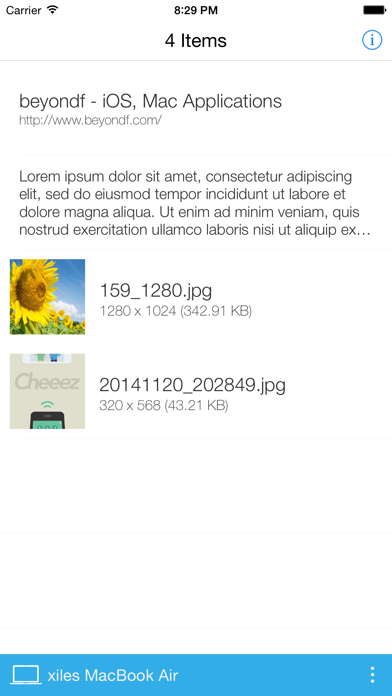
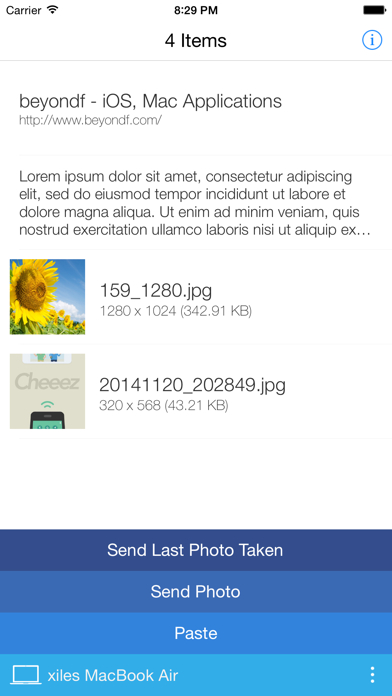
Transfer image, image files, text or URL between your iPhone and Mac. If you want to use AirDrop feature between your iPhone and Mac, AirBridge is here! Just drag and drop! Or copy and paste! Your images, text on your Mac can be copied to your iPhone. Also, you can copy your photos in your camera roll on your iPhone to your Mac. If you want to put your photos to your camera roll, drag your photos from Finder to AirBridge status bar icon. Photos will be copied to AirBridge on iPhone and you can save those photos to camera roll from there. If you are a iOS app/web designer, just copy your work in Photoshop or other graphic tools then click paste menu on AirBridge status bar icon. You can see your work right away on the phone. * You should install AirBridge on your Mac. * Both your Mac and iPhone should be in same network.
What's new · 1.2.0
This update from Apple will improve the functionality of this app. No new features are included. - iOS 8 compatible and ready for iPhone 6 and iPhone 6 Plus - Connection stability improved
Details