

Background Eraser: AI Remove
SUNWOONG JANG · Photo & Video
Independent analytics for this App Store listing. AppTracker is not affiliated with SUNWOONG JANG.
Chart standing · US
What changed · US
Listing changes AppTracker has observed for this app in this storefront — new versions, price moves, rating shifts, and store copy.
• Stability improvements and minor bug fixes
Ratings breakdown · US
The star breakdown behind this app's rating in this storefront.
In-app purchases · US
What this app sells inside itself, grouped by kind and priced for this storefront.
Screenshots




About
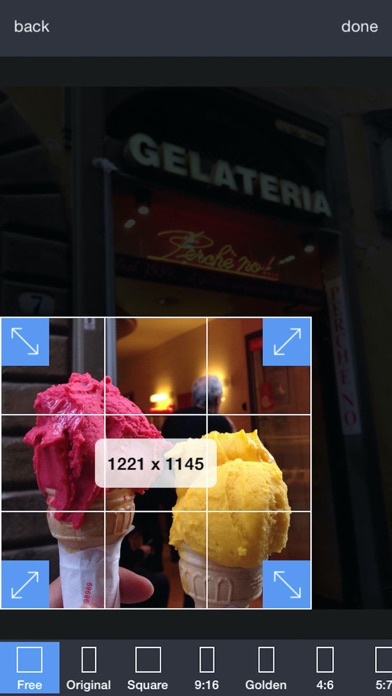
This app helps to remove the background of any picture of yours and maintain transparency with just few taps. Just touch where you want to remove. "Target" function removes the area of similar color automatically. The image which one maintaining transparency background can be used with other apps ex) Keynote. Pages, etc. #Cut Out Tools – Cut images (Zoom in to work for fine pixel-level accuracy) ___#Erase/Restore : Erase/Restore the area you touched ___#Target Area Auto remove tool (Area/Color) : Remove similar color area automatically ___#Reverse tool : Reverse removed area #Crop – Crop your photos with 15 different presets feature quickly and easily. #Adjust Effect - 9 ADJUSTMENT tools (Smooth, brightness, contrast, saturation, exposure, highlights, shadows, temperature, vignette) **”Smooth” - Smoothing image edge #Add Background Photo - Remove & Change your photo background #Full Resolution - Selecting size of output picture (HQ 3264 x 3264 pixel , Normal 1600 x 1600 pixel, LQ 800 x 600 pixel) #PNG/ JPEG File Selection - Selecting size of output picture (PNG_transparent background,JPEG_white background) #Share Instagram, Facebook, Twitter, Mail, Other Apps Terms of Use: https://sites.google.com/view/noonus-ltd/terms-condition Privacy Policy: https://sites.google.com/view/noonus-ltd/privacy-policy SUBSCRIPTION INFO: • Subscription for Background Eraser for full access to all features. • Subscription length: 12 months. • Your payment will be charged to your iTunes Account as soon as you confirm your purchase. • You can manage your subscriptions and turn off auto-renewal from your Account Settings after the purchase. • Your subscription will renew automatically, unless you turn off auto-renew at least 24 hours before the end of the current period. • The cost of renewal will be charged to your account in the 24 hours prior to the end of the current period. • When canceling a subscription, your subscription will stay active until the end of the period. Auto-renewal will be disabled, but the current subscription will not be refunded. • Any unused portion of a free trial period, if offered, will be forfeited when purchasing a subscription.
What's new · 2.5.4
• Stability improvements and minor bug fixes
Details