

Shared Grocery List Organizer
Product Growth LLC · Productivity
Independent analytics for this App Store listing. AppTracker is not affiliated with Product Growth LLC.
Chart standing · US
What changed · US
Listing changes AppTracker has observed for this app in this storefront — new versions, price moves, rating shifts, and store copy.
Minor bug fix to onboarding flow
Ratings breakdown · US
The star breakdown behind this app's rating in this storefront.
In-app purchases · US
What this app sells inside itself, grouped by kind and priced for this storefront.
Screenshots



About
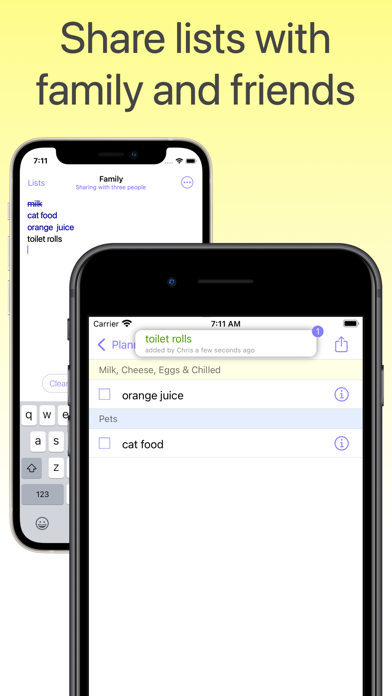
Smart shopping list for US shoppers. It knows almost every product in the supermarket and will arrange them by aisle. Share your list with family and friends. Never forget to buy something again. Use a list to save money — no more hunger-driven impulse buying. Calculate the cost of your shopping†. • Huge database of over 20,000 grocery items. Includes generic products and brand names. • Share your list with family and friends. You'll see their changes, and they will see yours. Shopping together? Split up, mark-off items as you go. Your list will update to show what is left to buy. • Create different lists for different shops, events or to share with different people. Give each list a name and colour. Choose from 12 vibrant colours. • Self-improving suggestions — the more you use it, the smarter it becomes. • Auto-lock checklist to prevent accidental touches while walking around the shop†. • Add items from earlier shopping trips, or create a template list to copy from. Copy or move items between lists. • Type naturally: “3 pints of milk”, “large steak”, “beef or lamb”, “wine for tonight”, “birthday card - Amy”, “2 large tins of beans”, “3 small red tomatoes”, “5kg potatoes”. • Paste ingredients from a recipe and watch as each product is recognised and categorised by its location in the supermarket. • Add your own categories. Enter a name and choose a colour from one of the 24 schemes available. • Rearrange your categories† • Quickly clean-up the list to remove bought items. † Some features require a premium subscription Terms of use: https://www.apple.com/legal/internet-services/itunes/dev/stdeula/
What's new · 6.4.1
Minor bug fix to onboarding flow
Details