

Cricut Design Space
Cricut, Inc. · Graphics & Design
Independent analytics for this App Store listing. AppTracker is not affiliated with Cricut, Inc.
Chart standing · US
What changed · US
Listing changes AppTracker has observed for this app in this storefront — new versions, price moves, rating shifts, and store copy.
• This update contains bug fixes and performance enhancements.
Ratings breakdown · US
The star breakdown behind this app's rating in this storefront.
In-app purchases · US
What this app sells inside itself, grouped by kind and priced for this storefront.
Screenshots



Keywords this app targets
Search terms AppTracker associates with this app — estimates, not search volume. ❝ = in the app's title; a highlighted number is its current position for that term.
Similar apps
Competitors and close alternatives, as estimated by AppTracker.
 Cutout-Design Space for Cricut
TROSTUN LTD
1 shared topic · 4 shared title words
Cutout-Design Space for Cricut
TROSTUN LTD
1 shared topic · 4 shared title words
 AI Design Studio Space
Vahid Alahvakil
1 shared topic · 2 shared title words
AI Design Studio Space
Vahid Alahvakil
1 shared topic · 2 shared title words
 Design Maker For Craft Space!
Tausif Akram
1 shared topic · 2 shared title words
Design Maker For Craft Space!
Tausif Akram
1 shared topic · 2 shared title words
 Design Maker for Cricut •
Farzana Kausar Javed Iqbal
Design Maker for Cricut •
Farzana Kausar Javed Iqbal
 Microsoft Designer
Microsoft Corporation
1 shared topic
Microsoft Designer
Microsoft Corporation
1 shared topic
 Likcut
Changsha Benlei Technology Co., LTD
1 shared topic
Likcut
Changsha Benlei Technology Co., LTD
1 shared topic
 Playground: AI Design & Editor
AI Playground, Inc.
1 shared topic · 1 shared title word
Playground: AI Design & Editor
AI Playground, Inc.
1 shared topic · 1 shared title word
 HTVRONT
HK SIJIU INTERNATIONAL SHARE CO.,LIMITED
1 shared topic
HTVRONT
HK SIJIU INTERNATIONAL SHARE CO.,LIMITED
1 shared topic
About
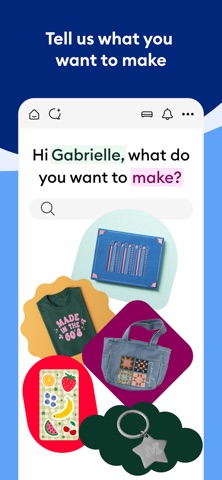
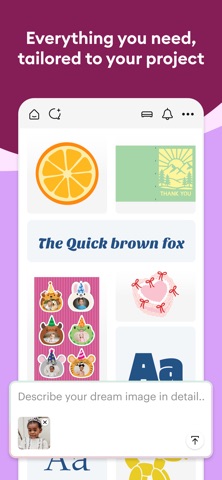
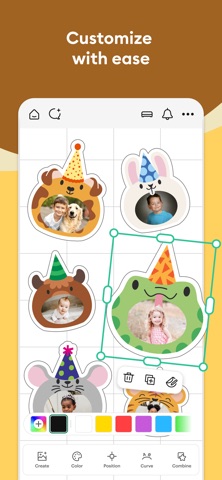
Enjoy total creative freedom over your next DIY project with Cricut Design Space™. Design, cut, or draw by connecting to Cricut Explore™ or Cricut Maker™ machines. Start your project from scratch or browse thousands of images, ready-to-make projects, and unique fonts in the Cricut Image Library. Create from anywhere, any time inspiration sparks with cloud-based syncing across devices. Make the most of every last scrap with the SnapMat™ feature. Connect to your compatible Cricut cutting machine with a Bluetooth® connection. Experience brand-new features like kerning, spell check, right-to-left text & more by upgrading your device to iOS 14 or above. New to Cricut? Welcome! To use this companion Design Space app, first activate your new machine at cricut.com/setup Existing members with Cricut Joy™ machines? For fun or functional projects in 15 minutes or less, use the companion Cricut Joy™ app. Features: • Over 50,000 FREE images, fonts & projects • Upload & edit your own compatible image files (jpg, .bmp, .png, .gif, .svg, and .dxf) • Browse Cricut fonts or use your own system fonts • Cut predesigned Make It Now projects quickly & easily • Make cards, invitations, 3D models & more • Design home & party decor, jewelry, and fashion accessories • Get perfect cut settings for your material type • Visualize & position artwork on scrap material with SnapMat™ feature • Access images & projects and make purchases on cricut.com or Design Space with Cricut ID. • Setup & activate machine right from app • Bluetooth® capability (Bluetooth adapter may be required, sold separately) • Easily position, resize & rotate text • Kerning for fonts • Follow step-by-step project instructions • Ready-to-make mug designs • Auto-save projects Cricut Access: https://cricut.com/legal#terms-of-use
What's new · 6.81.0
• This update contains bug fixes and performance enhancements.
Details