

Crestron AirMedia
Crestron Electronics, Inc. · Productivity
Independent analytics for this App Store listing. AppTracker is not affiliated with Crestron Electronics, Inc.
Chart standing · US
In-app purchases · US
No in-app purchases.
Screenshots

About
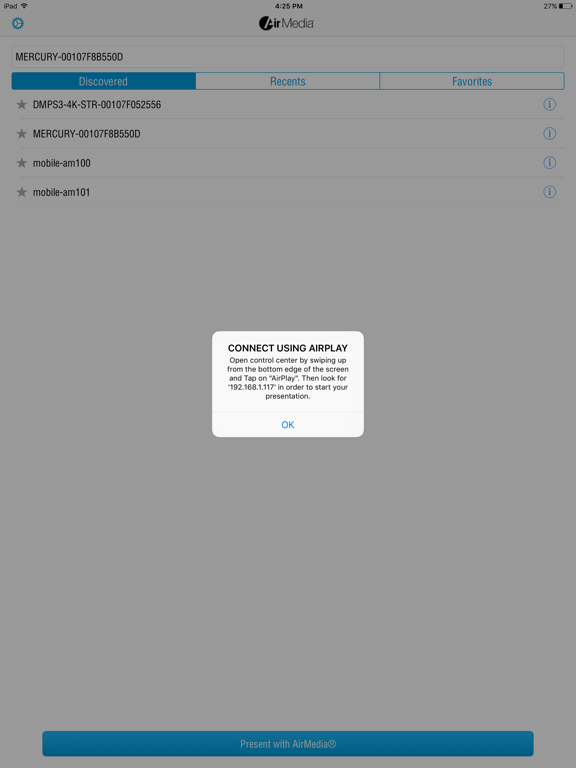
Crestron AirMedia® Wireless Presentation solutions enable seamless collaboration in any space. Share your screen from your iPhone® or iPad® mobile device to an in-room Crestron collaboration system. • Discover and connect to AirMedia® receiver devices on the network. • Multiple users can connect and present simultaneously. • Control active presentation sessions using AirMedia canvas control for flexible workflows. The Crestron AirMedia app requires a compatible AirMedia device (such as AirMedia Series 3 receivers, AirMedia 2.0 receivers, or a device with integrated AirMedia functionality (Crestron Mercury® conference system and Crestron DMPS).
What's new · 2.3.0
• Disconnecting the session from within the AirMedia app will also end the Screen Mirroring session. • The numeric keypad will automatically appear when tapping the field to enter the connection code. • Resolved intermittent issues when Bluetooth Discovery is enabled on the AirMedia receiver and the app is used to connect.
Details