

Day in Order: Daily Planner
Cristian Diaz Moreno · Productivity
Independent analytics for this App Store listing. AppTracker is not affiliated with Cristian Diaz Moreno.
Chart standing · US
Screenshots
About
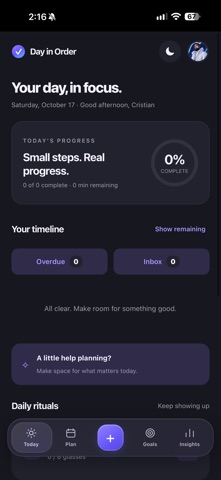
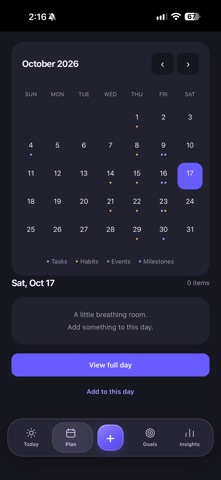
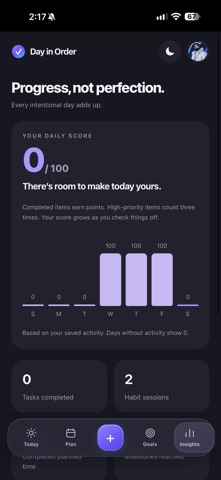
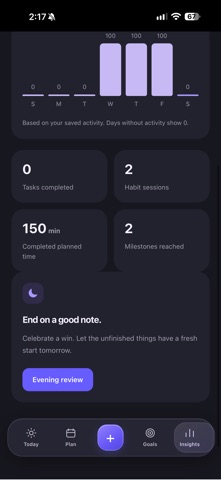
Make room for what matters with Day in Order—a calm place for your tasks, habits, events, and goals. SEE YOUR DAY CLEARLY Bring scheduled tasks, habits, and events together in one timeline. Check off completed items and see your daily progress. PLAN AT YOUR OWN PACE Explore a full monthly calendar, preview a selected date, and open its hourly schedule. Add all-day items or choose a start time and duration in hours and minutes. CAPTURE NOW, SCHEDULE LATER Save unscheduled tasks in your inbox. When you’re ready, give them a place in your day. Quick capture recognizes simple dates, times, and durations for you to review before saving. KEEP MOVING FORWARD Create daily, weekly, or monthly habits and repeat tasks on selected weekdays. Find overdue tasks and decide what to complete, reschedule, or dismiss. TURN GOALS INTO STEPS Break goals into milestones, assign dates, and see those milestones on your calendar. Completed goals stay together in their own section. MAKE TIME TO REFLECT Review your recent activity, check your daily score, and finish the day with an evening reflection. REMINDERS THAT FIT YOUR PLANS Timed items offer reminders 30 and 15 minutes before their start. All-day items use a reminder time you choose. Expand a planned notification to complete an item or snooze its reminder. Delivery depends on notification permissions and device settings; open the app regularly to refresh upcoming reminders. YOUR PERSONAL SPACE Personalize your profile and appearance, use the app offline, and export or restore a backup. Planner data is stored on your device. No account is required. Automatic syncing between devices and external calendar connections are not included. Suggested plans use local rules, not an online AI service. Designed for iPhone and iPad, with light and dark appearances.
Details