

Pensum: Work Hours
Peter Bognar · Productivity
Independent analytics for this App Store listing. AppTracker is not affiliated with Peter Bognar.
Chart standing · US
Screenshots


About
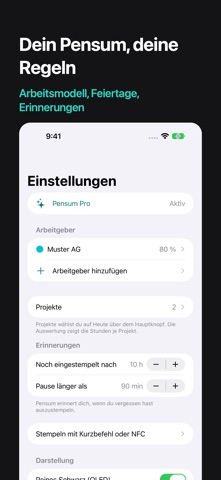
Pensum tracks your working hours with one tap. Clock in, take a break, call it a day. Pensum shows how much of your week is done, when you can leave and how much overtime you have built up. WHAT IT DOES • One big button to clock in and out, a second one for breaks • Target per week, month or year from full time and workload, for example 42 h × 80 % • Quitting time: the time at which your daily guide is reached • Running balance with a starting value, payouts and corrections • Holidays, sick days, accidents, military service, time off in lieu and unpaid days • Public holidays for all Swiss cantons, all German states and Austria • Correct and add entries, with a note • Projects: assign each block to a project, the report shows the hours per project • Freelance without a target: just record the hours • Live Activity on the Lock Screen, with Break and Clock Out • Reports by week, month and year with a chart • A reminder if you forget to clock out PRO Multiple employers, each with its own target and balance, CSV export for payroll and time systems, and automatic clocking with Shortcuts, Siri, the Action Button or an NFC tag, for example when you arrive at work. A one-time purchase, no subscription, with Family Sharing. PRIVACY No account and no analytics. Your data stays on your devices and in your iCloud. Pensum is a personal time tracker, not your employer's certified time recording system. Privacy: https://pensum.bognar.net/en/privacy/
Details