

PocketClip: Video Compressor
JNSI Media UG (haftungsbeschraenkt) · Photo & Video
Independent analytics for this App Store listing. AppTracker is not affiliated with JNSI Media UG (haftungsbeschraenkt).
Chart standing · US
What changed · US
Listing changes AppTracker has observed for this app in this storefront — new versions, price moves, rating shifts, and store copy.
Screenshots


About
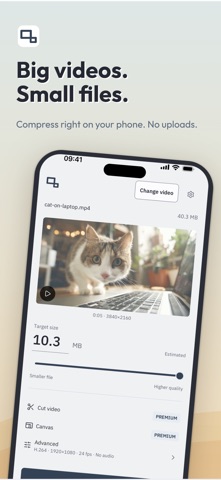
Make your videos smaller. Make your clips ready to post. PocketClip brings video compression, automatic captions and creative editing into one straightforward workflow. Save a smaller copy, turn a landscape clip into a vertical video, or add the finishing touches to your next Reel, Short or meme. SMALLER FILES, SIMPLE CONTROLS Choose a video, set an estimated target size and save a smaller copy. Use the slider for a quick adjustment or enter a size in MB. Your original stays unchanged. Compression is free and unlimited, with no ads and no watermark. MAKE YOUR CLIP FIT Frame videos for TikTok, Instagram Reels and YouTube Shorts. Choose vertical, square, landscape or a custom canvas size. Move, crop and resize your video. Fill the background with a blurred version of your clip, a colour, an image or a second video. Arrange two videos side by side or stacked. ADD AUTOMATIC CAPTIONS Generate subtitles from your video's audio, then adjust the wording and timing. Choose how your captions look and where they appear. You can also import an SRT file or write subtitles yourself. GIVE IT YOUR OWN STYLE Add text, pictures and backgrounds. Create a title, add context to a clip or build a meme with your own words. Trim the beginning and end, or remove an unwanted section from the middle. Combine your edits and compression in a single export. MORE CONTROL WHEN YOU WANT IT Open the advanced settings to adjust: • Codec: H.264 or HEVC, depending on device support • Resolution and frame rate • Video bitrate • Audio quality and volume • Audio removal Save your favourite export settings as a preset to use again. FREE COMPRESSION. PREMIUM CREATIVE TOOLS. Everyday compression and its advanced settings are free and unlimited. Try cutting, Canvas and automatic captions in the preview. A single PREMIUM purchase unlocks exports with these edits, subtitle-file exports and saved presets. Pay once. No subscription. Pick a video. Make it smaller. Make it yours.
Details