

QR Code to Clipboard
WILLIAM BENJAMIN BURRARD-LUCAS · Utilities
Independent analytics for this App Store listing. AppTracker is not affiliated with WILLIAM BENJAMIN BURRARD-LUCAS.
Chart standing · US
Screenshots


About
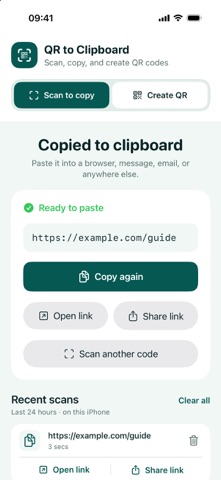
Scan a QR code and its contents go straight to your clipboard. Paste the link or text wherever you want; the app never opens a website automatically. QR Code to Clipboard is a focused scanner and QR creator for iPhone. Point the camera at a code to copy it. If the result is a web link, you can also open or share it with one tap. Going the other way is just as simple: tap Paste to turn text or a link from your clipboard into a QR code immediately. You can also type text and see the QR code update as you edit. • Scan and copy QR text and links • Open or share scanned web links when you choose • Create QR codes from pasted or typed text • Show or share a clean QR image • Reuse recent scans and created codes for 24 hours • Delete individual history items or clear a whole history • Keep the scanner awake while using it; choose 1× or 2× framing when supported Scanning and QR creation work on your iPhone without an account, ads or analytics.
Details