

BEAN FILM
JUHYEON CHO · Photo & Video
Independent analytics for this App Store listing. AppTracker is not affiliated with JUHYEON CHO.
Chart standing · US
What changed · US
Listing changes AppTracker has observed for this app in this storefront — new versions, price moves, rating shifts, and store copy.
Screenshots



About
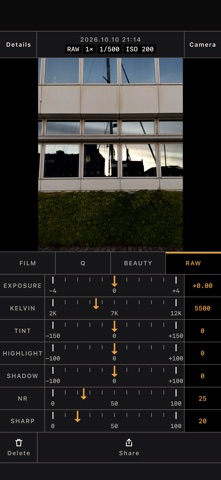
BEAN FILM is a camera that puts the look you pick right on the screen. See the result before you press the shutter, and rework photos afterwards in Edit. The color chain Shoot LOG and the color is built in this order: LOG, then LUT, then film. For video you can record in Apple Log 2 (on devices that support it) or BEAN LOG (on HDR devices without Apple Log). Pick one of three built-in LUTs (Default LUT, Cinema R LUT, Cinema A LUT) or use LUT files you import. While a film is on, the LUT is set to Default LUT, and LOG photos, video, the preview and Edit all use the same calculation. Film simulation There are 118 films, with names such as F-V50 Style, K-P400 Style, C-800T Style and F-MONO Style, plus faded film, disposable camera and old compact digital looks. Turn the dial to pick one and set how strong it is. Grain, halation, vignette and a date stamp can each be turned on or off, and image settings change contrast, color depth, sharpness, noise reduction and white balance. Save the combinations you like as recipes and share them with friends as text. Face retouch Skin, face shape, eyes, nose, mouth and makeup are applied while you watch, and the preview follows every change. Shooting Shoot in auto, or switch to manual and set ISO, shutter speed, white balance, focus and exposure on a dial. Focus peaking, a histogram, grids and a level are there when you want them. There is also flicker-free, which keeps to shutter speeds that avoid banding under artificial light, background blur, multi-lens capture that takes several framings with one press, View Outside the Frame, which dims the area outside the shot, and a night mode that stacks several frames for a brighter shot in the dark. With silent capture on, photos are taken without a shutter sound. Photos where the flash fires, and RAW and LOG photos on some devices, still make a sound. Edit Apply film, image settings, retouch and RAW adjustments to photos you have already taken, then save a copy or replace the original. Edit several photos at once and save them as copies. Edit also has AI photo retouch to refine faces, bodies, backgrounds and skies, and to remove things you do not want. AI photo retouch runs on your device and does not send photos to a server. A model is downloaded once, the first time you use it. Video Choose resolution, frame rate and SDR, HDR or LOG, and preview films and LUTs on screen while you record. Apple Watch The watch app works as a remote. See the preview on your wrist, set a timer, take the photo, and start or stop video recording. BEAN FILM needs to be open on your iPhone. The app is available in Korean, English, Japanese, Simplified Chinese and Spanish. About the license The camera works without a license: auto and manual shooting, JPG, HEIF and RAW, background blur, multi-lens capture, flicker-free, silent capture, video and the watch remote are all free. A license turns on films and image settings, face retouch and makeup, RAW Edit, LOG capture, and photo editing (including AI photo retouch). RAW Edit changes the film and retouch of a RAW photo and saves it again. There are no ads. BEAN FILM 1 month license — monthly, auto-renewing BEAN FILM 12 month license — yearly, auto-renewing There is no free trial. The price for your country is shown on the purchase screen and in the App Store before you subscribe. It renews at the same price unless you turn it off at least 24 hours before the period ends. You can turn it off any time in Settings > your Apple Account > Subscriptions. Terms of Use: https://www.apple.com/legal/internet-services/itunes/dev/stdeula/ Privacy Policy: https://beanent.com/privacy
Details