

qoro file
Hyo seon Lee · Utilities
Independent analytics for this App Store listing. AppTracker is not affiliated with Hyo seon Lee.
Chart standing · US
What changed · US
Listing changes AppTracker has observed for this app in this storefront — new versions, price moves, rating shifts, and store copy.
Screenshots




About
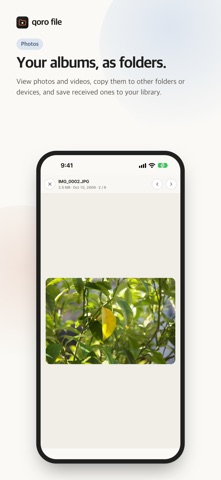
qoro file is a file manager that puts folders from the Files app on your iPhone, folders on your other devices (computer or phone) and Google Drive side by side in two panels (Q and R). • Two panels — pick on one side and send to the other. The destination of a copy or move is always the folder the opposite panel points to. • Files app folders — connect a folder from the Files app and open it right in the app; organize it with copy, move, rename and delete. iCloud Drive connects the same way. • Photos — open your photo albums as folders, copy photos to other folders or devices, and save received photos and videos to your library. • Share in and out — send files to qoro file from any app's share button (Received), and send files from qoro file to other apps with the share sheet. • Your devices — folders on your computers and phones signed in to the same account appear automatically. Files travel device to device, directly and encrypted. • Sharing — open one of your folders to someone else with a QR code, a link or a 4-digit code. Invitations last only 3 minutes, and deleting is possible only when you allow it. • Google Drive — connect Drive folders you choose and handle them just like folders on your devices. • Previews — photos (including HEIC), videos, PDF (remembers your page), EPUB, text and ZIP open right in the app; Word, Excel, PowerPoint, Pages, Numbers and Keynote open in their original layout. • Peace of mind — the app asks before deleting; deleted photos go to Recently Deleted and Google Drive files to the Drive trash, so they can be restored. Moving many files goes into a queue that runs one at a time. Your files are never stored on our servers. Folders and photos on this device work without signing in; sign-in (Google, Apple or email) is needed only for connecting your devices and for Drive (Drive needs Google sign-in). Available in Korean and English.
Details