

Kodeskriver
Yngve Hopen · Education
Independent analytics for this App Store listing. AppTracker is not affiliated with Yngve Hopen.
Chart standing · US
Screenshots


About
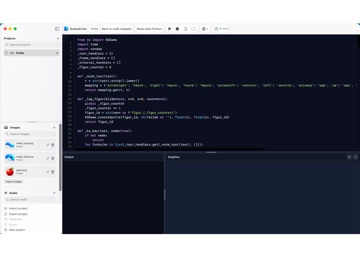
Kodeskriver is a Python learning environment designed to make the transition from visual programming to real code easier. Write standard Python in an editor with syntax highlighting, line numbers, and suggestions while you type. Use categorized code snippets to insert working Python code, then learn by changing values and expressions directly in the code. Create graphics, animations, and simple games with the Kodeskriver library. Import PNG, JPG, and GIF images and audio files, place and move objects, respond to keyboard and touch input, and work with sound, variables, lists, events, and Turtle. Output and graphics are displayed while your program runs. When you want to understand what happens behind the simplified commands, choose “Convert to plain Python.” Kodeskriver shows a lower-level Python version of the program. You can return to the code snippets afterwards or open the plain Python version in a separate window for comparison. Projects can be created, renamed, duplicated, deleted, imported, and exported. On iPad, optional on-screen controls can be shown for programs that use keyboard input and hidden when a hardware keyboard is used. Kodeskriver is made for learning, experimenting, and creative programming. The goal is to help beginners create useful programs quickly while still working with real Python code.
Details