

留白相册 - PhotoKeep
Peng Lin · Photo & Video
Independent analytics for this App Store listing. AppTracker is not affiliated with Peng Lin.
Chart standing · US
What changed · US
Listing changes AppTracker has observed for this app in this storefront — new versions, price moves, rating shifts, and store copy.
Fixed known bugs.
Screenshots


About
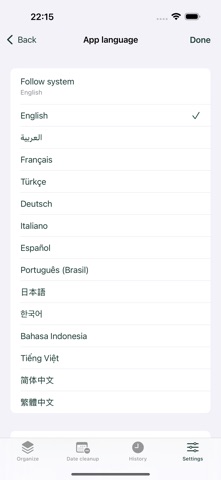
Keep the moments. Clear the clutter. Find similar photos on your iPhone, choose what to keep and clear the rest. Or delete photos within a date range, including favorites, after confirming. iPhone · iOS 17+ · Free with ads. No account or in-app purchases. Photos are processed on your device. Similar photos and system bursts are grouped on your device. Each group starts with suggested keepers; keep more or choose another. Similar cleanup protects favorites and always keeps at least one photo per group. Recommendations are not an aesthetic score. Clean one group or all unkept photos, then confirm with iOS. Canceling leaves photos unchanged. Only successful deletions appear in your local history. Certain you no longer need them? Clean by date. The separate Date Cleanup tab offers the last 7 days, last 30 days or custom dates. Preview the photos and counts, then confirm in the app and with iOS. This deletes every deletable photo in the range, including favorites, Live Photos and hidden photos accessible to the app. It does not keep a photo automatically or use the similar-cleanup ignored list. Videos are excluded. Photos the system cannot delete are counted and preserved. Each operation supports up to 5,000 photos. Similarity compares images taken within 10 minutes; system bursts use their burst identifier. Dense libraries may require a smaller date range. Recognition is an aid and may miss duplicates. Live Photo recognition uses the still image; deletion removes the whole asset. Cloud downloads are off by default. Enabling them uses Apple's Photos service and may consume data and temporary storage. Scanning stops in the background; cached results help when you restart. Open Apple's Photos app and Recently Deleted to recover a photo, normally within 30 days. SnapTrim never empties Recently Deleted permanently and does not keep a photo backup. iOS and iCloud manage available space; deleting does not guarantee an immediate increase in free storage. SnapTrim follows the device's supported language by default, with English as fallback. In Settings, choose one of 14 languages or return to Follow System. Your choice is stored locally. App text updates immediately; iOS permission and deletion dialogs may follow the system's app-language setting. Language switching is unavailable while scanning, loading or deleting. Photos, creation dates, dimensions, favorites and burst identifiers are read only within the access you grant. Similarity uses Apple Vision or an on-device perceptual fingerprint. The developer does not receive, store or sell your photos, image features or photo-library metadata. 540933120@qq.com
What's new · 1.2.0
Fixed known bugs.
Details