

AI Voice to Text: Record Notes
伟祥 陈 · Productivity
Independent analytics for this App Store listing. AppTracker is not affiliated with 伟祥 陈.
Chart standing · US
Screenshots




About
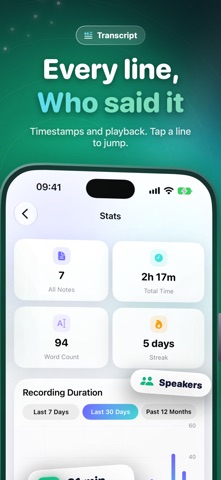
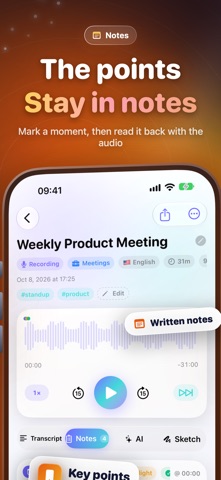
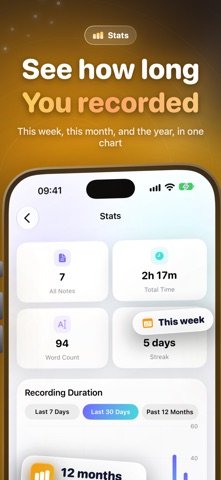
Need to capture meetings, lectures, or interviews and turn speech into text — with AI to organize it? AI Voice to Text brings recording, live transcription, timestamped notes, and AI summaries together in one app. Everything stays on your device. Record and transcribe in real time Tap to record and see words appear as you speak. Supports 26 recognition languages with on-device transcription that works offline. Background recording, pause and resume, with a live waveform and progress at a glance. Timestamped notes that jump back instantly Mark highlights, to-dos, and bookmarks while recording or playing back — each tied to a moment in the audio. Attach photos, add free-form notes, and check off tasks when done. AI summaries, highlights, and Q&A Generate concise or detailed summaries, bullet highlights, and action items in one tap. The AI toolbox covers polishing, meeting minutes, outlines, translation, smart titles, and tag suggestions. Ask questions about the transcript and get answers with timestamp references. Import and batch transcribe Import audio or video from Files or your photo library, extract the track, and transcribe automatically. Dictation mode turns speech into text on the spot; batch transcribe multiple notes from the Tools page. Library, search, and export Organize with notebooks, tags, pins, favorites, archives, and locks. Search across titles, transcripts, notes, and AI summaries — jump straight to the matching moment. Export as TXT, Markdown, SRT, PDF, and more. Privacy built in Lock the app or individual notes with Face ID. Recordings, transcripts, and AI results stay on your device. Third-party APIs are only used when you configure them yourself. Apple Watch and widgets Record on Apple Watch and sync to iPhone for automatic transcription. Start recording from Home Screen or Lock Screen widgets. Control Center and Siri Shortcuts get you recording fast. No account required. Your recordings and transcripts stay on your device.
Details