

Firma Documenti: Stamp & Sign
Patrick Battistini · Productivity
Independent analytics for this App Store listing. AppTracker is not affiliated with Patrick Battistini.
Chart standing · US
Screenshots


About
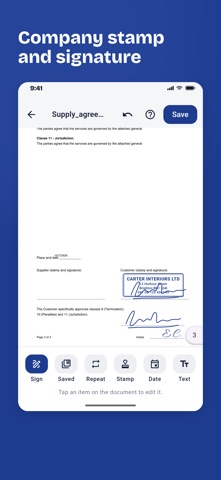
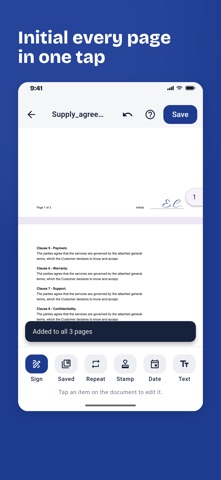
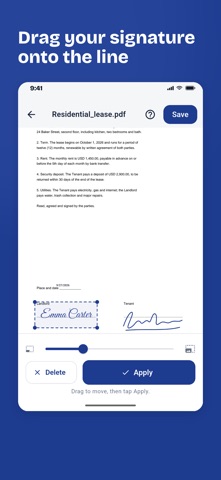
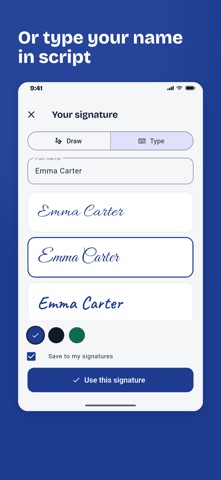
Sign contracts the way many European businesses still require: stamp and signature, initials on every page, approval of specific clauses. From your iPhone, in a minute, with no printer and no account. BUILT FOR PEOPLE WHO SIGN CONTRACTS • Company stamp: company name, address and VAT number in a double-framed stamp, in blue, red or black ink. Create it once and place it under your signature • Initial every page: place your initials once and "Every page" puts them in the same spot on all pages • Clause approval: a ready-made formula to specifically approve clauses (Italian Civil Code arts. 1341-1342), then add the second signature • "Read and approved", "Accepted", place and date in one tap HOW IT WORKS 1. Open a PDF from Mail, WhatsApp or Files with "Open in", pick a file, or scan a sheet of paper with the camera. 2. Sign with your finger, or type your name and pick a handwriting style. 3. Add the stamp, initials, date and text, then save and send. SCAN AND SIGN • Built-in scanner: frame the page, edges are cropped and straightened, several pages become one PDF • Sign JPG and PNG photos too SIGN YOUR WAY • Draw your signature in blue, black or green ink, with three pen sizes • Or type it: three handwriting styles ready to use • Save up to 5 signatures and reuse them with one tap • Move and resize each item before applying it; Undo also removes initials placed on every page EVERYTHING STAYS ON YOUR PHONE Documents are never uploaded: the app works offline and the developer never sees your files. Signed files are in the app archive and in Files > On My iPhone. FREE, WITH A CHOICE Free with unobtrusive ads. Remove them forever with a single purchase, no subscription. Note: the app places an image of your handwritten signature and stamp on the PDF (simple electronic signature). It does not replace a qualified digital signature required for some official filings.
Details