

GLIMR: Strum Any Sound
Joseph Musselman · Music
Independent analytics for this App Store listing. AppTracker is not affiliated with Joseph Musselman.
Chart standing · US
What changed · US
Listing changes AppTracker has observed for this app in this storefront — new versions, price moves, rating shifts, and store copy.
Ratings breakdown · US
The star breakdown behind this app's rating in this storefront.
Screenshots
Similar apps
Competitors and close alternatives, as estimated by AppTracker.




About
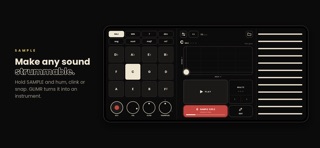
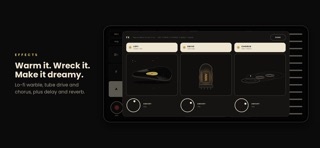
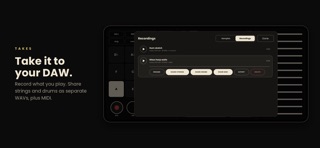
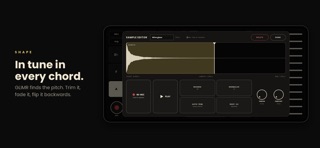
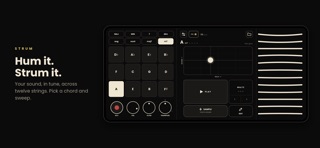
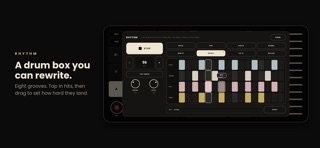
Make any sound strummable. Hold SAMPLE and make a sound: your voice, a wine glass, a car horn, your cat. GLIMR turns it into an instrument you play like a harp. Pick a chord, sweep your finger across the strings, and your sound rings out in tune and in harmony. SAMPLE ANYTHING - Hold to sample from the mic. GLIMR waits for your sound, so there's no dead air at the start. - GLIMR finds the pitch for you, or you can set the root yourself. - Trim, fade, reverse and normalize your samples, or import your own audio files. PLAY CHORDS WITH ONE FINGER - Eight chord types in every key: major, minor, 7th, major 7th, minor 7th, diminished, augmented and sus4. - Strum the strings, or tap them one at a time. Strum faster to play louder. - Shape the sound with LOFI, DRIVE and CHORUS, plus delay and reverb. The delay locks to your tempo. BUILT-IN RHYTHM BOX - Eight grooves: rock, pop, disco, samba, waltz, bossa, lo-fi and ballad. - Edit any pattern: tap to add a hit, drag up or down to set how hard it hits. - Set the tempo with tap tempo, or type it in. RECORD AND TAKE IT ANYWHERE - Tap REC to capture what you play. - Share the strings and drums as separate 24-bit WAV files, ready to mix. - Export your strings as MIDI and rebuild the part in your DAW. - Send takes to Files, AirDrop or any app. PLAY YOUR DAW FROM THE STRINGS - Turn on MIDI out in Settings and GLIMR becomes a MIDI controller. - Strums, chords and drums play any synth or DAW over USB or Wi-Fi. Works on iPhone and iPad. No account, no subscription, no ads. Your sounds stay on your device.
What's new · 1.1
GLIMR now speaks MIDI. Play any synth or DAW from GLIMR's strings and chords, over USB or Wi-Fi. Turn it on in Settings > MIDI. The sample editor now docks beside the strings, so you can keep strumming while you edit. Fixed edge swipes that could interrupt playing.
Details