

모두보기
Kang taeyang · Productivity
Independent analytics for this App Store listing. AppTracker is not affiliated with Kang taeyang.
Chart standing · US
What changed · US
Listing changes AppTracker has observed for this app in this storefront — new versions, price moves, rating shifts, and store copy.
EveryPreview now supports English and Korean throughout the app, including document and media controls, file errors, help, and accessibility labels. Your files and document contents stay in their original language.
Screenshots

About
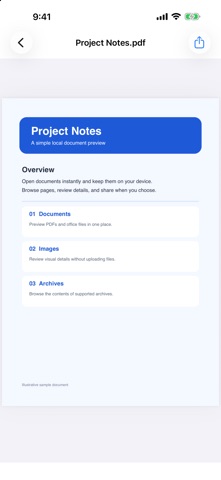
Preview your files in one place on iPhone, iPad, and Mac. EveryPreview opens local files without uploading them to a server, and all file viewing features are free, with no ads or payments. • Browse recent files, search by filename, and filter by file type. • Preview PDFs, photos, and supported Office documents. • Read text files, search within their contents, and adjust text size. • View HWP and HWPX documents as pages or text. • Read unprotected EPUB ebooks with contents navigation and zoom. • Inspect XLSX cells, saved values, and formulas, or switch to the original preview. • Browse supported ZIP, RAR, 7Z, TAR, and GZ archives, then temporarily extract a selected file to preview it. Password and split-volume controls are available for supported archives. • Play supported audio and video with standard and extended players. Add external subtitles, change playback speed, and seek forward or backward. • Share a file or open it in another app. The interface follows your app language: English or Korean. Files, filenames, and document contents stay in their original language. Imported copies are stored on your device and can be removed from the recent-files list. Format support depends on the file, codec, operating system, and viewer. Document fonts and layouts may differ from the original. Spreadsheet formulas are not recalculated. DRM-protected ebooks require an authorized reader. EveryPreview supports iOS and iPadOS 17 or later and macOS 14 or later.
What's new · 1.3
EveryPreview now supports English and Korean throughout the app, including document and media controls, file errors, help, and accessibility labels. Your files and document contents stay in their original language.
Details