

DailyCal
Marco Janssen · Business
Independent analytics for this App Store listing. AppTracker is not affiliated with Marco Janssen.
Chart standing · US
Screenshots


About
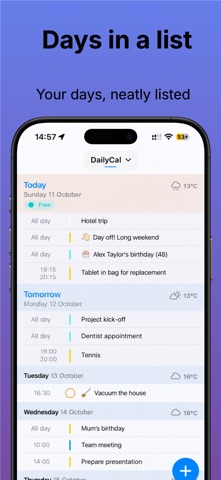
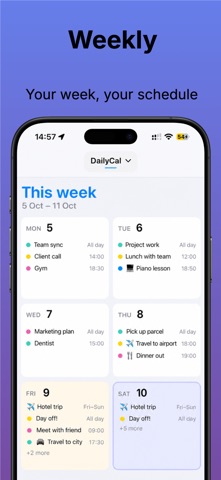
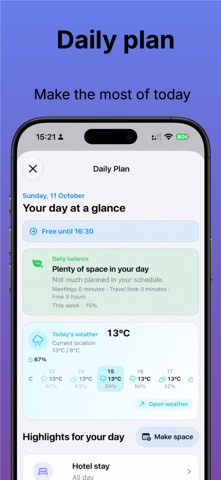
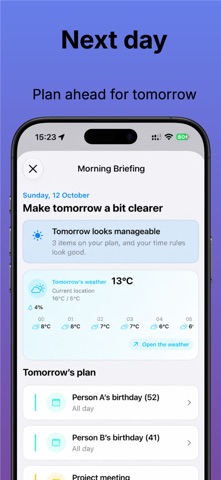
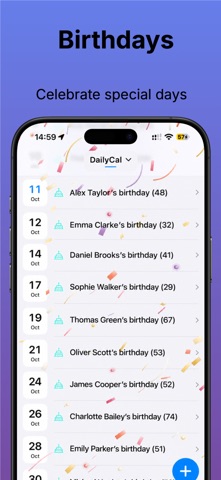
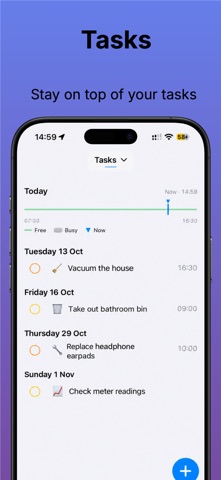
DailyCal Your day, finally in focus. DailyCal turns the appointments, reminders and important days already on your iPhone into one calm, clear plan. See what is next, find anything fast and make room for what matters. One agenda. Every kind of day. • See appointments, reminders, birthdays and anniversaries together • Move smoothly between list, day, multi-day, week, month and year views • Tap an empty time slot to create an appointment • Search titles, notes, locations and meeting links across your calendars • Jump to any date with the time compass • See free time, overlaps and your day’s shape at a glance • View appointments in another time zone and plan editable, non-repeating appointments in a chosen zone • Choose your week start and week numbering: ISO, regional or the week containing 1 January • Choose default calendars and reminder lists, including the last-used destination • Set your preferred duration for new appointments • Put your agenda on the Home Screen and Lock Screen • Make DailyCal yours with hand preference, colours and appearance • Use VoiceOver, larger text, reduced motion and visual accessibility options DailyCal Plus. More clarity, less juggling. • Day Plan: your next step, day balance, free space and evening wrap-up • My Week: review the past or coming seven days, including appointments, travel, available time, open tasks and overlaps • Understand your week with calculations and explanations that stay on your device • Prepare tomorrow with appointments, weather and potential conflicts • Check whether your day is feasible, with suggestions for conflicts and task slots • Conflict Assistant and Week Radar: see what clashes and why • Plan B: review a safer time or a different day before confirming a move • Protect my time: mark recurring focus time and minimum breaks • Give focus blocks names, categories and colours, with weekly or monthly repetition • Skip or move one focus block without changing its repeating rule • Rolling appointments with clear choices to move, finish or remove them • Plan appointments by typing naturally, with a live preview, relative dates and optional contact-address lookup • Choose whether the quick plus opens text planning or Apple’s calendar editor • Import appointments from screenshots, copied text, event links and emails • Recognise multiple appointments from one source, including shared date headings • Review multiple results in an import list; a single appointment opens directly • Compare duplicates, similar appointments and invitation changes before saving • Recognise linked iCalendar invitation updates and cancellations for review • Accept the suggested 09:00–10:00 time when a date is found without a time • Add weather, travel estimates, departure alerts and outbound or return travel blocks • Choose MET Norway, DWD Open Data, NOAA/NWS or Environment Canada for forecasts • Open your preferred Maps or weather app, including Apple Weather • Automatic colour and emoji rules, favourite colours and extra app icons • Calendar sets with scheduled switching • iCloud sync for DailyCal settings and rolling-appointment settings • Export selected calendars and a date range to CSV • Personal week layouts, working hours, days off and finer timeline intervals • Additional widgets, app-badge options and Live Activities • Apple Watch: today, the next step, countdowns, departure times and route shortcuts You stay in control. Review imported appointments before saving. Planning suggestions never move or overwrite appointments automatically. Calendar, reminder and contact access remain your choice. Your calendars stay yours. DailyCal works with Apple Calendar and Reminders, uses Apple’s familiar editor for ordinary appointment fields and keeps your original data in its existing accounts. Start simple. See clearly. Take control of your time. Privacy Policy: https://apps.mjanssen.nl/privacy-policy/ Terms of Use (EULA): https://www.apple.com/legal/internet-services/itunes/dev/stdeula/
Details