

Layup: Photo Collage Maker
Roman Milushov · Photo & Video
Independent analytics for this App Store listing. AppTracker is not affiliated with Roman Milushov.
Chart standing · US
Screenshots



About
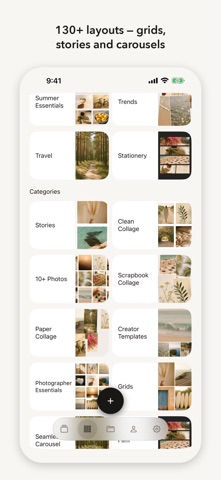
Pick your photos. Press Layup. The collage arranges itself. Every other collage app hands you an empty grid and leaves you the hard part — working out which photo goes where, then dragging them around until it stops looking wrong. Layup does that part. WHAT LAYUP HOLDS TO One press, and six rules decide the placement: • One photo used twice never sits side by side — the copies go to opposite corners • The same kind of shot never touches — two photos with people in them land on the diagonal • Nobody's back is to the frame — subjects at the edges look into the collage, not out of it • Neighbouring colours stay in one family — a clashing pair gets separated • Light and dark stay balanced — no heavy side, no washed-out side • Strong shots take the big frames — a sharp, well-filled photo earns the space Press again and you get a different arrangement that still holds to all six. Keep pressing until one is right. FOUR WAYS TO ARRANGE Layup — spreads your shots so no two of a kind touch Hero — your strongest shot takes the big frame Colour run — photos ordered into one gradient Time — in the order you shot them Or build your own out of the rules: shots keep their native shape, look-alikes keep their distance, vivid and muted stay balanced, light opens and dark closes. 130+ LAYOUTS Grids, stories, carousels, scrapbook and torn paper, contact sheets, celebration layouts. Square, 4:5, 9:16 and 16:9. Each one is a real layout with real cells, not a frame pasted over your picture. CAROUSELS THAT SWIPE Build a multi-slide carousel and your photos carry across the slides in order. Export the set ready to post. NOTHING IS LOCKED Drag any photo into another cell. Pinch to reframe it. Change the ratio, recolour the background, add text, shapes and stickers. The arrangement is a starting point, never a verdict. EXPORT Full resolution stills, or video when a cell holds a clip. Save to Photos, or hand straight to Stories. No account needed to make a collage. No subscription, no watermark, no ads.
Details