

FileTurn: File Converter
Vinod Manammal · Utilities
Independent analytics for this App Store listing. AppTracker is not affiliated with Vinod Manammal.
Chart standing · US
Screenshots


About
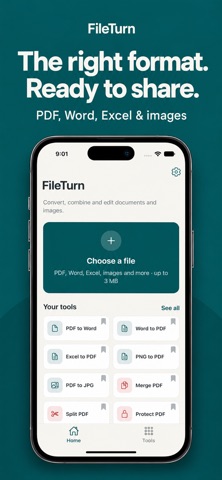
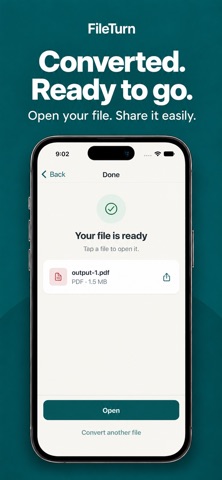
The right format. Ready to share. Turn a Word document into a PDF, save PDF pages as images, or combine several PDFs into one. FileTurn brings everyday document and image tools together, with your favorites just a tap away. CHOOSE A FILE. SEE YOUR OPTIONS. Select a file and FileTurn identifies its type, then shows compatible tools and output formats. Choose the result you need, adjust the available options, and convert. Open, save or share the finished file. CONVERT DOCUMENTS AND IMAGES • Convert Word documents and Excel spreadsheets to PDF. • Convert PDFs to Word, Excel, text or image formats. • Turn JPG and PNG images into PDFs. • Switch between supported image formats. • Work with supported text, CSV, RTF, HTML and XML files. Available conversions depend on the input file. Check Supported Formats in the app for the full list. MORE WAYS TO GET FILES READY • Merge PDFs: bring multiple files together and arrange their order. • Split PDFs: separate a document into individual pages. • Protect PDFs: add a password to the output document. • Extract text: save text from supported documents. • Extract images: pull images from supported documents. • Resize images: set dimensions for the size you need. • Create ZIP files: package multiple files into one archive. YOUR TOOLS, WITHIN REACH Pin the tools you use most to Home, whether that is Word to PDF, PDF to JPG or Merge PDF. Search the tool collection when you need something different. Choose light mode, dark mode or your device's appearance setting. CONTROL THE DETAILS Available options include page selection, image resolution, output passwords and image dimensions. FileTurn shows the options relevant to your task. FILETURN PRO Monthly and yearly subscriptions are available for access to additional tools and advanced options. See the upgrade screen for the current Pro features and pricing. Subscriptions renew automatically unless canceled at least 24 hours before the end of the current period. Payment is charged to your Apple Account at confirmation of purchase. Manage or cancel your subscription in your App Store account settings. Restore eligible purchases from within the app. BEFORE YOU CONVERT An internet connection is required. Files are uploaded to our conversion service for processing. Each input file must be approximately 3 MB or smaller. Available outputs and conversion results depend on the source file and its content. Privacy Policy: https://bomosi.com/files/fileturn/privacy-policy.html Terms of Use: https://bomosi.com/files/fileturn/terms-of-use.html Subscription Info: FileTurn Pro is available as monthly and annual auto-renewable subscriptions, providing access to Pro tools and advanced conversion options while your subscription is active. Payment is charged to your Apple Account at confirmation of purchase. Your subscription automatically renews unless canceled at least 24 hours before the end of the current subscription period. You can manage or cancel your subscription through your Apple Account settings. You can restore eligible purchases using Restore Purchases in the app. EULA: https://bomosi.com/files/fileturn/eula.html Terms of Use: https://bomosi.com/files/fileturn/terms-of-use.html Privacy Policy: https://bomosi.com/files/fileturn/privacy-policy.html
Details