

Snotes: Handwritten Notes
Christopher Flores Rimac · Productivity
Independent analytics for this App Store listing. AppTracker is not affiliated with Christopher Flores Rimac.
Chart standing · US
What changed · US
Listing changes AppTracker has observed for this app in this storefront — new versions, price moves, rating shifts, and store copy.
• Snotes now runs on iPadOS 26. • Color themes: pick one of 10 and it changes the app icon, header, tools and library together (Settings › Appearance). • Meet Bitri: your companion in the welcome screens, empty screens and as the handle of your tools. • Stickers to mark up your notes: check mark, cross, star, Done!, Review, Exam and more. • The tool palette stays exactly where you drop it and rotates more smoothly with two fingers. • A refreshed library with new icons and tidier cards.
Screenshots





About
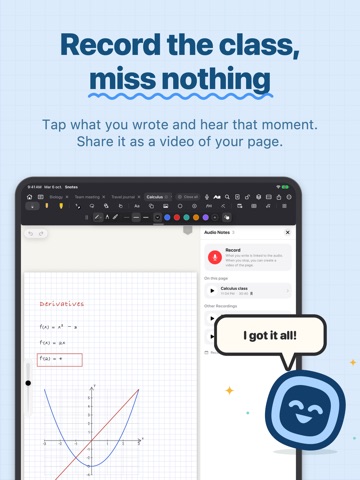
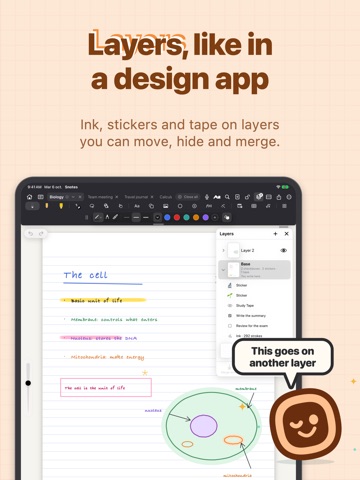
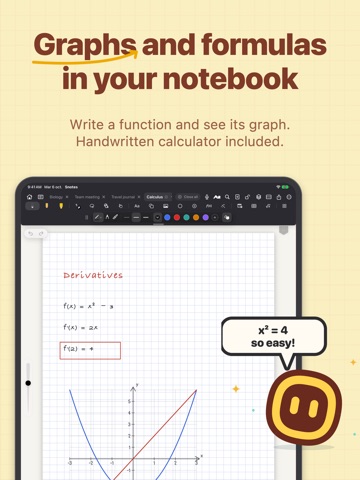
Snotes is a notebook for writing by hand on iPad, designed so your notes look like yours. WRITE IN YOUR OWN HANDWRITING Teach it your handwriting once, and everything the app writes — dates, answers, corrections, text turned into ink — comes out in your handwriting, not a font. Save several styles and pick one. LIVE CORRECTOR Write fast and the Corrector tidies your writing as you go. Prefer your raw strokes? Turn it off with a tap. "Rewrite page" cleans up a whole page, line by line. A REAL NOTEBOOK • Pen, pencil, highlighter and eraser, with widths you see exactly as they draw. • Lined, grid, dotted, Cornell, planners and your own templates. • Covers with your name handwritten on the label, colors and gradients. • Add pages by pulling past the last one or with a tap; bookmark the important ones. • Lasso to move, scale, rotate, copy and recolor anything you circle. • Perfect shapes when you pause the pencil, tables, checkboxes and sticky notes. • Layers like in a design app, stickers from your photos (remove the background, add a border) and split view to keep two notebooks open at once. FOR STUDYING • Handwritten calculator: write the sum, add "=" and the answer appears. • Graphs, formulas, protractor and compass. • Study tape to cover answers and quiz yourself. • Flashcards with spaced repetition: make your own or import from Anki. • Audio notes linked to what you wrote: tap a stroke to hear that moment. PDF AND ORGANIZATION • Import PDFs and write on them; export to PDF or image. • Folders, tags, favorites, search in your handwriting and in Spotlight. • Tabs to keep several notebooks open. • Bring your PDFs over from other note apps. YOUR DATA IS YOURS • No subscription and no accounts. • No ads, no analytics, no tracking. • Handwriting recognition and intelligence run on your device. • Sync across your iPads with your iCloud. • Automatic backups to the folder you choose. Snotes is made for iPad, in English, Spanish, German, French, Italian, Portuguese, Japanese, Korean and Chinese (Simplified and Traditional).
What's new · 1.1
• Snotes now runs on iPadOS 26. • Color themes: pick one of 10 and it changes the app icon, header, tools and library together (Settings › Appearance). • Meet Bitri: your companion in the welcome screens, empty screens and as the handle of your tools. • Stickers to mark up your notes: check mark, cross, star, Done!, Review, Exam and more. • The tool palette stays exactly where you drop it and rotates more smoothly with two fingers. • A refreshed library with new icons and tidier cards.
Details