

Photo That's It! Photo Fixer
Toshihiko Arai · Photo & Video
Independent analytics for this App Store listing. AppTracker is not affiliated with Toshihiko Arai.
Chart standing · US
What changed · US
Listing changes AppTracker has observed for this app in this storefront — new versions, price moves, rating shifts, and store copy.
New in-app camera: shoot and apply a filter right away. You can also open it from the Lock Screen and Control Center. Choose the photo aspect ratio (4:3, 16:9, 1:1) and view your shots full screen right after taking them. Blur faces in videos: record with the camera and blur faces straight away. Apply another filter to an edited photo without saving it first. "Blur Faces" now opens on face selection, so you can tap any face to leave it unblurred.
Screenshots



About
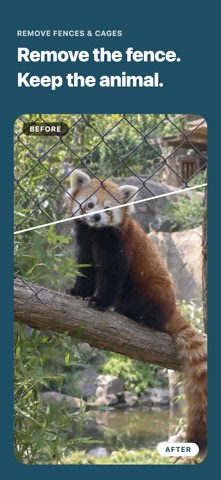
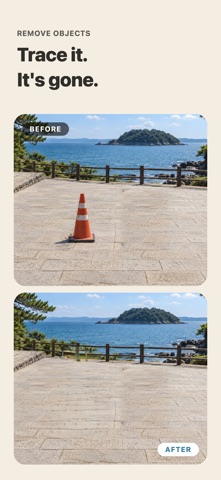
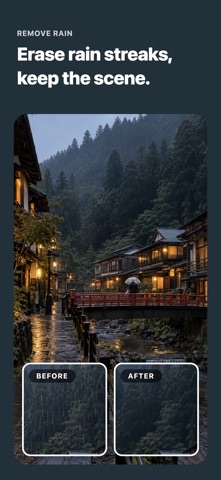
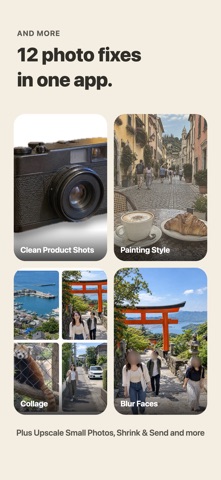
Fix the travel and zoo photos you almost got right. Remove rain streaks, cage fences, power lines across the sky and people who wandered into the frame, and keep just the view you wanted. Everything runs on your iPhone. Your photos are never sent anywhere. Every tool keeps your original photo and saves the result as a new photo. WHAT YOU CAN DO - Remove Rain: clear away rain streaks - Remove Fences & Cages: turn a shot through zoo netting into a clean photo - Remove Objects: trace over anything and fill it in naturally with the surroundings - Remove Power Lines: find lines across the sky and rejoin the scenery - Clean Product Shots: make items shot at home look like they were taken in a light box - Blur Background: focus on your subject with DSLR-like bokeh - Painting Style: turn travel photos into something that looks hand-painted - Upscale Small Photos: make old or saved-from-social photos sharp and readable - Blur Faces: blur only the faces of people in the background - Privacy Check Before Posting: find and hide faces, license plates, nameplates, phone numbers, email addresses and location data - Collage: combine several travel photos into one - Shrink & Send: resize photos in bulk and share them right away TRY IT WITH SAMPLES Every tool comes with a sample photo, so you can see the result before choosing your own. FREE AND PRO Every tool is free to use. The free version shows a banner ad at the bottom of the screen and an ad with a wait of at least 10 seconds each time you process a photo. It saves photos at up to 1080px on the long side, dated the day you save (samples have no processing ad or wait). PRO is a one-time purchase with no subscription. It removes ads and the wait, saves photos at their original size, lets you keep the original photo's date, and lets you reorder the tools on the home screen.
What's new · 26.10.14
New in-app camera: shoot and apply a filter right away. You can also open it from the Lock Screen and Control Center. Choose the photo aspect ratio (4:3, 16:9, 1:1) and view your shots full screen right after taking them. Blur faces in videos: record with the camera and blur faces straight away. Apply another filter to an edited photo without saving it first. "Blur Faces" now opens on face selection, so you can tap any face to leave it unblurred.
Details