

Skyline Architect
Rory Meijer · Games
Independent analytics for this App Store listing. AppTracker is not affiliated with Rory Meijer.
Chart standing · US
What changed · US
Listing changes AppTracker has observed for this app in this storefront — new versions, price moves, rating shifts, and store copy.
NEW ADD-ON: RETRO - The whole game in 90s pixel art: crisp pixels, 34 bold colours, banded skies and blocky people, elevators and clouds. - Raised grey panels and buttons to match. - Choose it in Settings > Display > Style and switch back at any time. It is only a look: your towers and saves stay as they are. - Find it in Main Menu > Add-ons. A LIVING BUILDING - Tenants ask for things: a restaurant, more space, a shorter wait for the lift. Grant a request in time and they are happier. - Residents and workers get hungry and tired, and their mood counts towards satisfaction. - Medical and security calls, answered by a new First Aid Post and Security Office. Firefighters, paramedics and security officers can be seen at work. - Atriums: open spaces with a skylight and a tree that make the whole building more attractive. - Holidays and city events bring visitors, hotel guests and new tenants. - Long summer days, short winter days, and weather that changes during the day. - A Day Traffic chart shows how busy each hour is. BUILDING - Shape a room before you build it: longer, shorter, moved a metre or a floor, then Place. Now on the Mac too. - Make existing rooms wider or narrower; the tenants stay. - If a room cannot be placed, you are told why: which floors it may stand on, what is in the way, or which floor to build first. PLAY YOUR WAY - A Settings screen with every option in one place. - A more compact main menu. - Sandbox: set demand and construction prices, turn on unlimited money, switch disasters on or off. - Photo and timelapse mode for sharing your tower. IPHONE AND IPAD - A build mode on the iPhone, and one-handed controls. - A one-finger drag pans; a tap starts a room, so a stray touch never builds anything. - Tips go away by themselves, and the tutorial panel folds away. FIXES - The Place bar no longer stays on screen after starting a new game. - The Sandbox panel shows a change straight away. - The Add-ons screen fits every screen. Plus many smaller fixes.
In-app purchases · US
No in-app purchases.
Screenshots


About
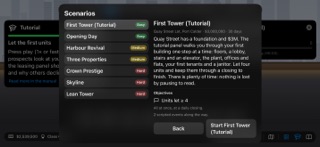
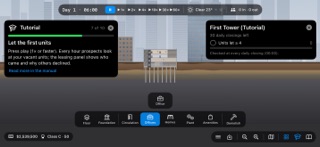
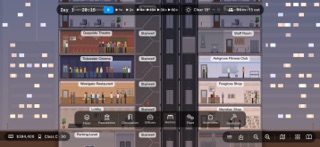
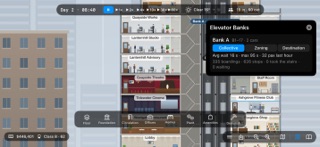
Build upward. Keep the building moving. Skyline Architect is a tower-building management game in cross-section. Lay the floors, run the elevators, let the offices and flats, and keep every resident, worker and visitor on the move, from a four-storey block to a tower of five hundred floors. BUILD IN CROSS-SECTION Floors, lobbies, offices, flats, plant rooms and amenities on a metre grid, over a foundation you widen and dig deeper. Every step can be undone. EVERY PERSON SIMULATED Residents, office workers, visitors and your own staff follow their day: to work, out for lunch, home in the evening, all walking and riding for real. ELEVATORS THAT MATTER Banks of cars, express shuttles to sky lobbies, service elevators, three dispatch strategies, and traffic you can see waiting on every landing. TENANTS WITH OPINIONS Prospects weigh rent, access, noise, view and services before they sign, and move out when they are unhappy. Rent your flats out or sell them. RUN THE BUILDING Electricity, water, climate and data from your own plant rooms; janitors and technicians; waste, taxes, energy prices, loans, and a daily closing at 06:00. WEATHER, NIGHT AND FIRE Seasons, storms and heatwaves, a city that lights up at night, and fires your sprinklers and the brigade have to put out. THREE CITIES Buy land in Port Calder, Harrowgate and Saltmere, each with its own market, ground and weather, all on one account. SCENARIOS AND A TUTORIAL A step-by-step tutorial and six scenarios with stars and points, from Opening Day to Lean Tower, plus free play with or without unlocks. MAKE IT YOURS Data-only content packs add cities, rooms and scenarios of your own. FOR EVERY PLAYER Four text sizes, VoiceOver labels, Reduce Motion, full keyboard control on a Mac and an iPad, and a 14-chapter manual inside the game. No ads. No in-app purchases. No account. Your game stays on your device. Standard Apple EULA applies; https://www.apple.com/legal/internet-services/itunes/dev/stdeula/
What's new · 1.4.1
NEW ADD-ON: RETRO - The whole game in 90s pixel art: crisp pixels, 34 bold colours, banded skies and blocky people, elevators and clouds. - Raised grey panels and buttons to match. - Choose it in Settings > Display > Style and switch back at any time. It is only a look: your towers and saves stay as they are. - Find it in Main Menu > Add-ons. A LIVING BUILDING - Tenants ask for things: a restaurant, more space, a shorter wait for the lift. Grant a request in time and they are happier. - Residents and workers get hungry and tired, and their mood counts towards satisfaction. - Medical and security calls, answered by a new First Aid Post and Security Office. Firefighters, paramedics and security officers can be seen at work. - Atriums: open spaces with a skylight and a tree that make the whole building more attractive. - Holidays and city events bring visitors, hotel guests and new tenants. - Long summer days, short winter days, and weather that changes during the day. - A Day Traffic chart shows how busy each hour is. BUILDING - Shape a room before you build it: longer, shorter, moved a metre or a floor, then Place. Now on the Mac too. - Make existing rooms wider or narrower; the tenants stay. - If a room cannot be placed, you are told why: which floors it may stand on, what is in the way, or which floor to build first. PLAY YOUR WAY - A Settings screen with every option in one place. - A more compact main menu. - Sandbox: set demand and construction prices, turn on unlimited money, switch disasters on or off. - Photo and timelapse mode for sharing your tower. IPHONE AND IPAD - A build mode on the iPhone, and one-handed controls. - A one-finger drag pans; a tap starts a room, so a stray touch never builds anything. - Tips go away by themselves, and the tutorial panel folds away. FIXES - The Place bar no longer stays on screen after starting a new game. - The Sandbox panel shows a change straight away. - The Add-ons screen fits every screen. Plus many smaller fixes.
Details