

Tokdak - Y2K CCD Digicam
MBG Studio · Photo & Video
Independent analytics for this App Store listing. AppTracker is not affiliated with MBG Studio.
Chart standing · US
Screenshots

About
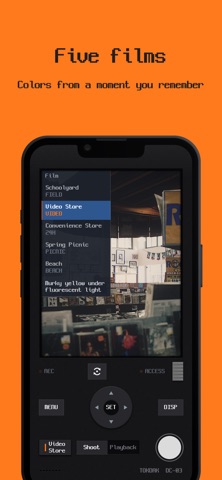
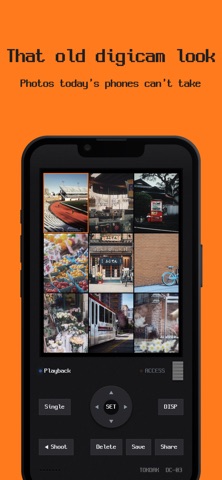
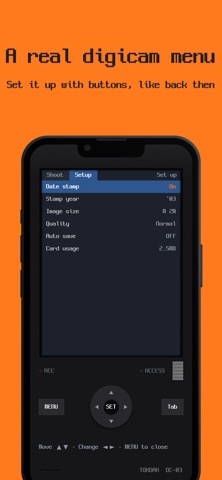
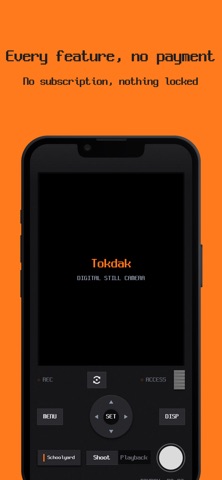
Phone photos are too clean these days. Tokdak isn't an app where you pick a filter — it's an app that switches on one digicam from 2003. ■ Who it's for • You want to shoot photos with the texture of the digicam pictures you posted in the 2000s • You love the CCD digicam, Y2K look, but a real old camera is hard to find • You want the feel of handling a camera, not decorating a screen ■ The whole screen is the back of the camera • LCD, four-way pad, MENU · DISP · SET buttons, and the shoot/playback slide switch — all there • Power on and the LCD flickers to life; half-press for slow focus, shutter lag, a quick review screen after the shot, and an access lamp that blinks while writing • Modeled on a 4-megapixel CCD digicam from 2003 ■ That old digicam look • Not smooth like today's phone photos — a little soft, a little rough, just like digicam shots back then • Pick the photo size and quality like on an old digicam — lower quality makes it even rougher • With the flash on, close things turn bright white and the background goes dark — just like digicam flash photos back then ■ Five films, colors from a moment you remember • Schoolyard — deep, saturated color of a schoolyard at dusk • Video Store — murky yellow sunk under fluorescent light • Convenience Store — fluorescent white blowing out before dawn • Spring Picnic — hazy, lifted color of an overcast day • Beach — color that pushes water and sky forward • Each film also has its own vignetting and lens glare. What you see in the viewfinder is what gets saved ■ Operated like a digicam of that era • The firmware menu as it was — Flash · Shutter lag · Beep · Review · Date stamp · Stamp year (can be fixed to 1999–2007) · Auto save • DISP cycles the display info, 9-frame index playback, front camera for selfies (with MIRROR indicator) • Photos pile up on the card; in playback you move them to Photos one by one or send the original JPEG as is • Power-on beep, focus beep, write tick — even the font is the screen lettering of that era ■ Every feature, no payment • No in-app purchases, no subscription, no locked features Power on, and it's 2003.
Details