

Acemaker QR Log
山 刘 · Lifestyle
Independent analytics for this App Store listing. AppTracker is not affiliated with 山 刘.
Chart standing · US
Screenshots



About
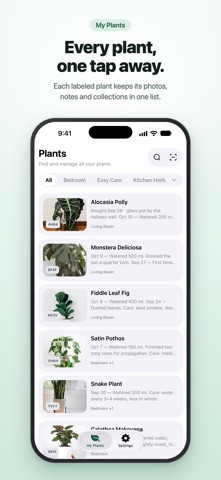
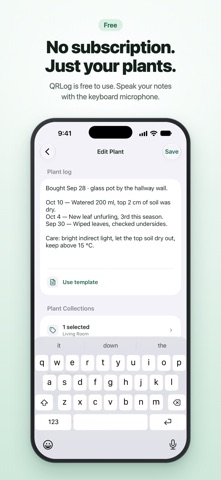
Acemaker QR Log is the free companion app for Acemaker QR Plant Labels. Each stainless steel label has a QR code. Scan it with your phone, and the Plant Record for that plant opens. SCAN THE LABEL, OPEN THE RECORD • Scan a label with the in-app scanner or your phone camera. • Connect a new label to a plant in a few taps. • Open the same record again any time by scanning the label. KEEP EVERYTHING FOR EACH PLANT IN ONE PLACE • Add plant details and care notes. • Add photos to follow how each plant grows. • Use the microphone on your keyboard to dictate names and notes. • See all your plants in one list. SORT YOUR PLANTS • Create Plant Collections such as Living Room, Kitchen Herbs, or Easy Care. • Assign up to 5 collections to each plant. • Collections are private to your account. YOU STAY IN CONTROL • You write and maintain every record. • To reuse a label, unbind it from its plant. This permanently removes that record and its photos. The QR code can then connect to another plant. GOOD TO KNOW • An Acemaker QR Plant Label and an account are needed to create and edit Plant Records. Sign in with Apple, Google, or email. • Light and dark appearance are supported. • The app is free to use and has no subscription. Questions or feedback? Use Send Feedback in Settings.
Details