

TraceLock: Tracing Lightbox
帅 王 · Graphics & Design
Independent analytics for this App Store listing. AppTracker is not affiliated with 帅 王.
Chart standing · US
What changed · US
Listing changes AppTracker has observed for this app in this storefront — new versions, price moves, rating shifts, and store copy.
Ratings breakdown · US
The star breakdown behind this app's rating in this storefront.
Screenshots


About
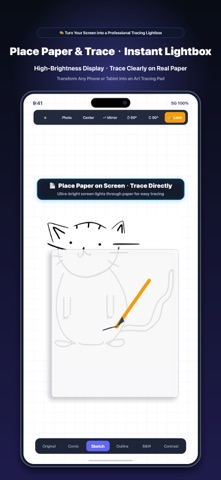
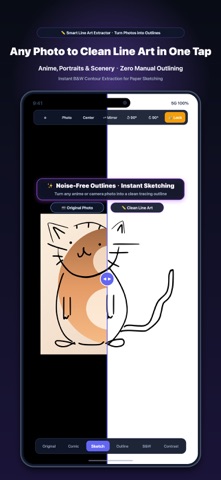
Turn your iPhone or iPad into a tracing lightbox: import an image, position it, lock the screen against accidental touches, place paper on top, and trace. TraceLock is intentionally focused. It solves one specific job with no account, no ads, and no cloud photo uploads. • Import an image from Photos • Convert it to sketch, outline, comic, black-and-white, or high contrast • Scale, move, rotate, and mirror it to fit your paper • Lock the canvas so paper and palms do not move the image • Keep the display awake and use full brightness while tracing • Hold for two seconds to unlock safely Photo processing happens on your device. TraceLock does not collect personal data. Try every feature with total peace of mind.
What's new · 1.0.2
1. Seamless Export & Sharing: Share your tracing outlines and sketches directly using the native iOS share sheet, with instant saving to Photos. 2. New Onboarding Guide: Added an interactive 3-step walkthrough to get started quickly. Replay it anytime in Settings. 3. Enhanced iPad & Apple Pencil Experience: Floating side toolbar optimized for iPad; full Apple Pencil hover preview and double-tap gesture to quickly lock or unlock the screen. 4. Polished Toolbar Layout: Streamlined top controls and improved button layouts across all languages. 5. Performance & Reliability: Improved outline rendering speed and fixed minor issues for a smoother experience.
Details