

ScanEasy China: Pay Setup
剑锋 易 · Travel
Independent analytics for this App Store listing. AppTracker is not affiliated with 剑锋 易.
Chart standing · US
Screenshots


About
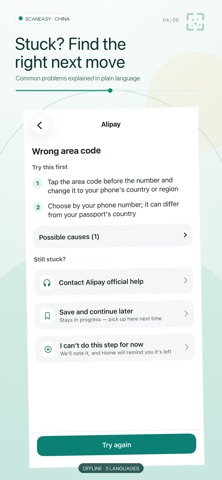
In China you pay for coffee, the metro and the night market by scanning a code with your phone. ScanEasy China walks you through setting up mobile payments step by step, in English, Simplified Chinese or Traditional Chinese. Available now: set up Alipay with a foreign passport and add a foreign or Chinese bank card. A WeChat Pay guide is on the way. STEP BY STEP • Install, sign up, verify with your passport, add a card and check it shows up — one thing per step • Button names exactly as Alipay's English screens show them, with illustrations you can enlarge • Each step tells you what you should see when it's done WHEN YOU GET STUCK • No text code, wrong area code, can't find the button, identity check or card declined — every step lists common causes and things to try • Links to Alipay's official support PICK UP ANY TIME • Progress is saved automatically; when you come back from Alipay, the app asks whether the step worked • The guide is built into the app and works offline EASY TO READ • Switch between English, Simplified and Traditional Chinese any time — handy when a Chinese friend helps • Large-text mode and VoiceOver support YOUR DATA STAYS YOURS • ScanEasy China never asks for card numbers, passwords, codes or ID numbers — you enter those only in Alipay • No permissions, no ads, no analytics; your progress stays on your phone Free. ScanEasy China is an independent teaching tool, not affiliated with Tencent or Ant Group. Alipay is a trademark of its owner. Whether you can sign up or add a card is up to the payment platform and your bank.
Details