

Doodle Band: Draw Music
Hiroaki Tajima · Music
Independent analytics for this App Store listing. AppTracker is not affiliated with Hiroaki Tajima.
Chart standing · US
Screenshots




About
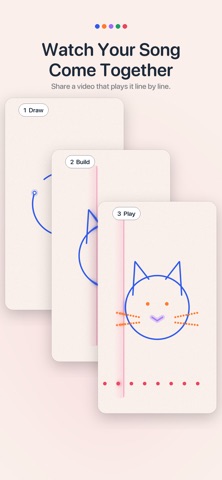
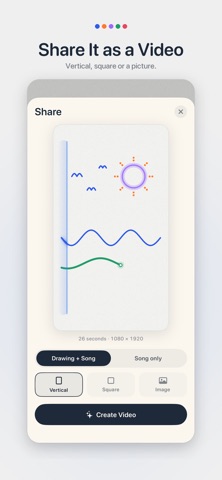
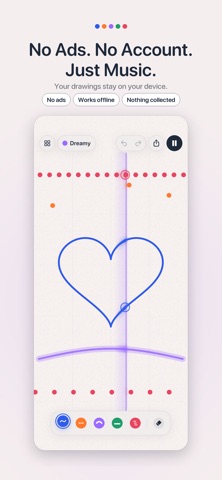
Draw anything, and hear it play. Doodle Band turns your drawings into music. Draw a line and it plays: higher on the page is a higher note, and the playhead sweeps from left to right in a loop. Every note fits the scale, so whatever you draw sounds good. No music lessons needed. EVERY COLOR IS AN INSTRUMENT - Keys: a soft electric piano - Mallets: a bright, bouncy marimba - Dream: a warm, floating synth pad - Bass: a deep bass line - Beats: drums, with hi-hat at the top, snare in the middle and kick at the bottom Wavy lines make melodies. Long flat lines hold a note. A straight line from top to bottom strums a chord. SIX MOODS Sunny, Dreamy, Blue, Mystery, Space and Lullaby. Tap a mood and your drawing plays in a new scale right away, from bright and happy to dark and curious. Change the tempo and the loop length (2, 4 or 8 bars) to make it your own. SHARE YOUR SONG AS A VIDEO Make a video that replays your drawing line by line while the music builds up, then plays the finished song. Choose vertical for stories and short videos, square, or a picture. Nothing on screen gets in the way: no buttons, no fingers, just your drawing and your song. MADE FOR APPLE PENCIL On iPad, press harder for bolder lines and louder notes. On iPads that support hover, hold the tip over the page to see which note you're about to play. Double-tap or squeeze your Apple Pencil to switch to the eraser, or turn on drawing with Apple Pencil only so your hand can rest on the screen. WATCH IT COME ALIVE Lines glow and swell as the playhead passes over them, and rings pop from every note. On a dark screen, your drawing lights up like a stage. KEEP DRAWING LATER - Your drawings save automatically, and the last one opens when you come back - Rename, duplicate or delete drawings in the gallery - Six examples to start from: Cat, Heart, Rainbow, Mountains, Stars and Smile - Erase part of a line, undo and redo (or tap with two fingers to undo) SIMPLE AND PRIVATE - No ads, no account, no pop-ups - Nothing is collected and your drawings stay on your device - Works offline - Works on iPhone and iPad Doodle Band is a musical instrument, so it plays even when your iPhone is on silent. You can change this in Settings. Questions or ideas? Open the gallery, tap Settings, then Support.
Details