

Haru - AI Assistant
INPHIL CHOI · Productivity
Independent analytics for this App Store listing. AppTracker is not affiliated with INPHIL CHOI.
Chart standing · US
Screenshots


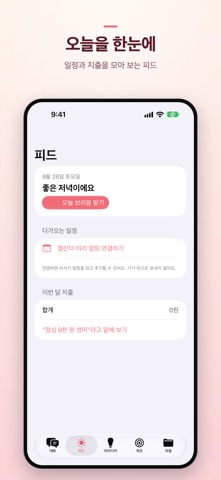
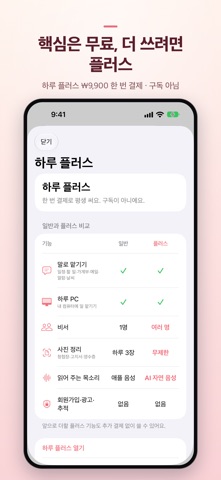
About
Just ask, and Haru takes care of your calendar, to-dos, expenses, and email. Meet Haru, your assistant. No sign-up. Decisions are made by Apple Intelligence on your iPhone, and your conversations and records stay only on this device. Haru shows you a card for what it's about to do — it only runs after you confirm. ■ Just ask · "Book the dentist at 3pm tomorrow" → Calendar · it understands follow-ups like "move that to 4" · "Add milk to my to-do list" → Reminders · "I spent $12 on lunch" → Expenses, "How much did I spend this month?" · "Write an email to my manager that I'll be 30 minutes late" → Email draft · "Set an alarm for 7", "Text Mom", "Directions to the station" · "I want the longest break with 2 vacation days" → a leave plan that lines up with public holidays ■ Show it, and Haru sorts it out · A photo of an invitation, a bill, or a receipt → turned into a calendar event, to-do, or expense ■ Voice · Haru reads replies aloud with Apple's voice · A more natural AI voice is available with Haru Plus — download it once, use it fully on-device (about 400MB) ■ Hand off computer tasks — Haru PC (free) · Install Haru PC (open source) on your computer, and ask from your phone — "On my PC, tidy up my Downloads folder" · Before anything changes on your computer, an approval card shows up on your phone first · Works away from home, too — end-to-end encrypted, so the relay can't see the content (or skip the relay and connect directly) · How to install: https://inphilchoi.github.io/haru/ ■ Haru Plus (one-time purchase, not a subscription) · Multiple assistants · unlimited photo sorting (free gets 3 a day) · a natural AI voice · Talking to Haru and Haru PC are always free ■ You can trust it · No ads, no tracking · No data collection · Haru doesn't make payments or transfers on your behalf · If it senses you're struggling, it shares a helpline ※ AI conversation needs a device that supports Apple Intelligence (iPhone 15 Pro or later). On other devices, Haru works as a rule-based assistant. ※ Terms of use (EULA): https://www.apple.com/legal/internet-services/itunes/dev/stdeula/ ※ Privacy policy: https://inphilchoi.github.io/haru-privacy/
What's new · 1.1.0
■ Easier to open every day · "Today with Haru" widget for the Home and Lock Screen — your next event, tasks left, and this week's goal. Tap it to open today's briefing · Add a "Talk to Haru" button to Control Center · Optional morning briefing notification — only if you turn it on, at the time you pick, once a day ■ Haru PC · When your PC asks a question, your next reply goes back to your PC · On devices without Apple Intelligence, you can choose to ask Haru PC for everyday conversation too · Start with a free AI model on your PC, and connecting the AI service you already use got easier (PC side) ■ Also · English description added, wider availability
Details