

Clap Finder: Lost Phone Alarm
Instaberry Technologies Private Limited · Utilities
Independent analytics for this App Store listing. AppTracker is not affiliated with Instaberry Technologies Private Limited.
Chart standing · US
Screenshots




About
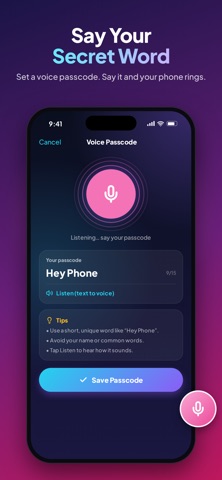
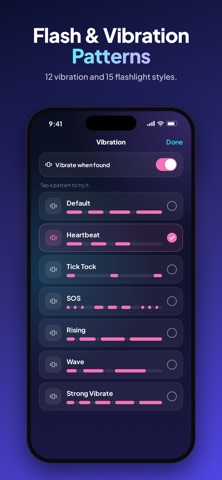
Can't find your phone? Just clap! Clap Finder listens for your clap, whistle or secret voice passcode and makes your iPhone ring out loud, even when it's on silent. Find it in seconds under sofa cushions, in a bag, in the car or in another room, even with the screen locked. THREE WAYS TO FIND YOUR PHONE - Clap: clap 2–3 times and your phone answers - Whistle: a short whistle is all it takes - Voice Passcode: choose a secret word, say it and your phone rings LOUD, BRIGHT AND IMPOSSIBLE TO MISS - Rings even when your iPhone is on silent - 15 flashlight patterns: strobe, SOS, beacon, disco and more - 12 vibration patterns: heartbeat, tick-tock, SOS and more - Adjustable sensitivity to avoid false alarms - Works in the background and with the screen locked MAKE IT YOURS - 23 alarm sounds: police siren, dog barking, "Hey, stay here!", air horn, lion roar, Santa, Halloween and more - Use any song or recording from Files as your alarm - Fake incoming-call themes: your phone "calls" you with a name and photo you choose - Colorful classic and sound-themed alarm screens ANTI-THEFT PROTECTION - Don't Touch My Phone: the alarm sounds if someone moves your phone - Pocket Mode: the alarm sounds if it's pulled out of your pocket or bag - Charger Alarm: the alarm sounds if someone unplugs the charger - Only you can stop it, with Face ID, Touch ID or your passcode PRIVATE BY DESIGN Sound is analysed on your iPhone in real time. Nothing is recorded, saved or uploaded. FREE OR PREMIUM Clap Finder is free with ads. Watch a short video to try any premium sound for 24 hours, or go Premium with a one-time purchase: no ads, all 10 premium sounds and your own custom sound, forever. No subscription. HOW TO USE 1. Choose Clap, Whistle or Voice 2. Tap Start and lock your phone 3. Lost it? Clap, whistle or say your passcode and follow the sound Tip: keep Clap Finder open in the background (don't swipe it away in the app switcher) so it can hear you. For the loudest alarm, keep your media volume up. Questions or ideas? Email us at funtechify@instaberry.net Terms of Use (EULA): https://www.apple.com/legal/internet-services/itunes/dev/stdeula/ Privacy Policy: https://instaberry.net/#/privacy-policy
Details