

HTMLens: HTML Viewer & PDF
Jaewook Oh · Productivity
Independent analytics for this App Store listing. AppTracker is not affiliated with Jaewook Oh.
Chart standing · US
What changed · US
Listing changes AppTracker has observed for this app in this storefront — new versions, price moves, rating shifts, and store copy.
Ready for iPhone Duo. • Open the device to see your library and document side by side; closed, a vertical toolbar leaves more room for the page • Banner ads now fit the display width, and the Done button on sheets stays put while you scroll
Screenshots




About
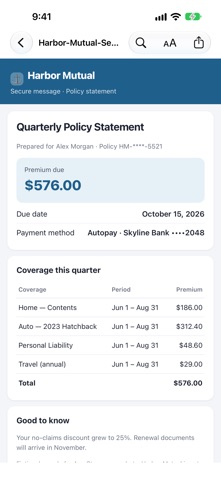
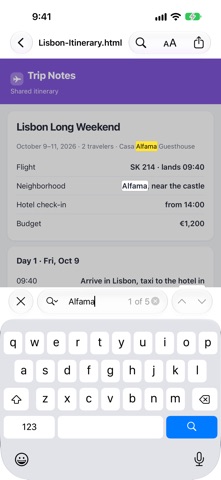
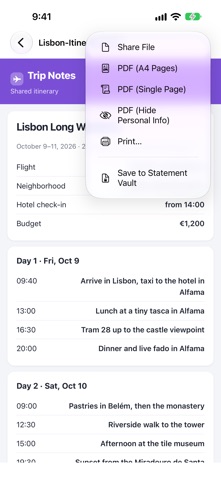
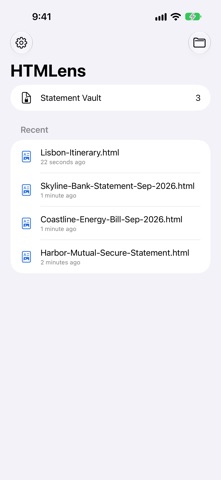
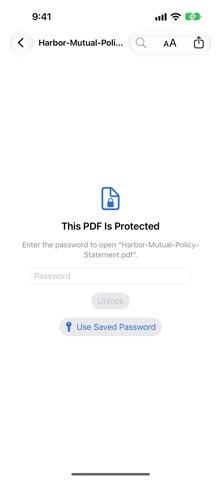
Quick Look shows many HTML files as a blank or broken page. HTMLens opens them much as a desktop browser would — password-protected statements, pages that need JavaScript, web archives, and documents in legacy encodings — right on your iPhone and iPad. UNLOCK PROTECTED HTML • Type the password into the page and it opens, just like on a computer • Save passwords in the keychain behind Face ID or Touch ID and fill them in with one tap • Request Desktop Site for documents that refuse to open on mobile • Pop-up windows and print buttons work as the page expects PDF STATEMENTS • Open password-protected PDFs with your saved passwords and one Face ID or Touch ID check • See the amount due and due date on Korean PDF statements and add them to your calendar • Find in page, page thumbnails, and dark mode BEAUTIFUL MARKDOWN • Tables, task lists, syntax highlighting, math, and Mermaid diagrams • Jump to any heading from the table of contents • Tap an image to see it full screen MANY FORMATS • Runs the page's JavaScript with WebKit, the engine behind Safari • HTML, XHTML, SVG, Safari web archives, and MHT/MHTML from Chrome, Edge, and Word • Detects legacy encodings such as EUC-KR and Shift_JIS, with a manual override • Loads images and styles from the file's folder PDF, PRINT, AND SHARE • Save as A4 pages or as one long page, or print • Make a PDF that hides the card, account, phone, and ID numbers and email addresses it finds in the page text, then checks the page text again and won't share if a number is left • Text inside images isn't checked, so review the whole PDF before sharing STATEMENT VAULT • Keep unlocked statements and reopen them without the password • Locked with Face ID or Touch ID, encrypted, and stored only on this device • For Korean billing statements it recognizes, shows the amount due and due date and opens a prefilled calendar event COMFORTABLE READING • Dark mode for documents, plus an app theme setting • Find in page and adjustable text size • Recent documents and favorites • iPad split view and drag and drop PRIVATE BY DESIGN No account, and HTMLens doesn't send your documents or passwords to any server. Vault statements open with internet access turned off. REMOVE ADS Remove the banner ad for good with a one-time purchase. Support: ggamistudio@gmail.com
What's new · 1.2
Ready for iPhone Duo. • Open the device to see your library and document side by side; closed, a vertical toolbar leaves more room for the page • Banner ads now fit the display width, and the Done button on sheets stays put while you scroll
Details