

HeyFam: Family Planner
John Halley · Productivity
Independent analytics for this App Store listing. AppTracker is not affiliated with John Halley.
Chart standing · US
Screenshots


About
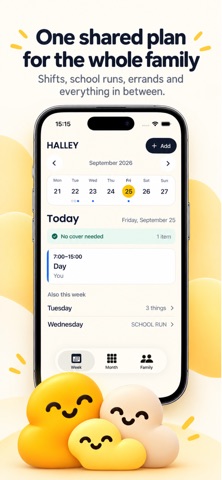
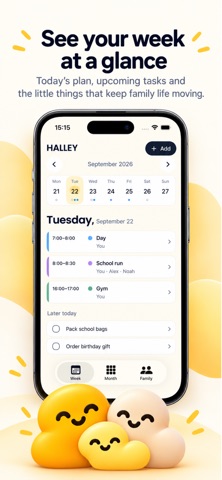
Family life gets busy. HeyFam keeps everyone in the loop. Organise plans, work shifts, school runs, appointments, tasks, shopping and birthdays in one family planner. See the week at a glance and keep track of who is doing what. GET STARTED QUICKLY Enter your first name, optionally add your first plan, and choose a family subscription. Start planning on this iPhone immediately, without creating a HeyFam account. Add family profiles and cover arrangements when you are ready. BRING YOUR FAMILY TOGETHER Sign in with Apple when you choose to sync or invite your family. One HeyFam family subscription covers the shared household; invited adults join without buying another subscription. Children's profiles do not need accounts. KEEP EVERYDAY LIFE IN ONE PLACE • View family plans by week or month • Add appointments, activities and work shifts • Add family profiles and decide who is covering a plan • Keep tasks, shopping and birthdays together • Set local reminders with your permission YOUR CHOICE OF STORAGE Guest plans are saved on this iPhone. Sign in and enable sharing to sync them with your family. Restoring a subscription restores access; it does not recover unsynced plans after reinstalling the app. If coverage expires, saved plans remain readable while paid editing pauses. SUBSCRIPTIONS HeyFam requires an active monthly or annual family subscription, or membership of a covered family. The annual subscription may include a seven-day introductory free trial for subscribers Apple determines are eligible. The monthly subscription has no trial. Prices and any eligible trial are shown in the app before purchase. Payment is charged to your Apple Account when you confirm the purchase, or at the end of an eligible trial. Subscriptions renew automatically unless cancelled at least 24 hours before the end of the current period. Manage or cancel your subscription in your Apple Account settings. Deleting HeyFam or your HeyFam account does not cancel an Apple subscription. Privacy policy: https://sites.google.com/view/heyfamapp/home Terms of Use: https://www.apple.com/legal/internet-services/itunes/dev/stdeula/
What's new · 1.1
• A quicker start: enter your name and optionally add a first plan. • Subscribe and start planning immediately, without HeyFam sign-in. • Sign in with Apple when you choose to sync or share with your family. • Improved purchase restoration and recovery after interrupted setup. • Clearer local storage, subscription and sharing status. • Accessibility and layout improvements.
Details