

Super Photolize: Edit With AI
STUDIO RENEAU LLC · Productivity
Independent analytics for this App Store listing. AppTracker is not affiliated with STUDIO RENEAU LLC.
Chart standing · US
Screenshots




About
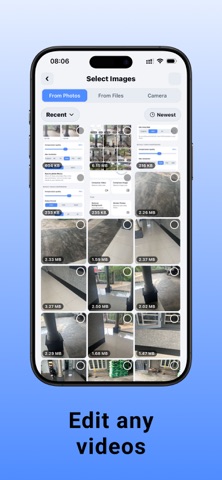
PhotoLize is a fast, private, all-in-one photo and video toolkit for your phone. Whether you are trying to free up storage, shrink files before sending them, change a format, remove a background, or package a set of files to share, PhotoLize handles it right on your device. Nothing is uploaded to a server, so your photos stay yours. No account, no sign-in, no cloud, no tracking. Modern phones take huge photos and even bigger videos. A single image can be several megabytes, and a short clip can run into hundreds. PhotoLize gives you simple, powerful controls to make those files smaller and more convenient without the quality loss you would expect. It is built for people who want results in a couple of taps, and for power users who want fine control over every setting. COMPRESS PHOTOS Reduce the size of one photo or a whole batch at once. Pick multiple images from your library, then dial in exactly how much you want to compress. A quality slider lets you balance file size against visual detail, and a live before-and-after comparison shows you the original size, the new size, and the exact percentage saved. Most photos can be shrunk dramatically with no visible difference, which is perfect for sharing, archiving, or clearing space. COMPRESS VIDEOS Video is where storage really disappears, and PhotoLite brings the same simple approach to your clips. Choose your compression settings and let the app re-encode the video on-device to a much smaller size while keeping it watchable and shareable. Great for trimming down screen recordings, long clips, or anything you want to send over a messaging app that has size limits. CONVERT FORMATS Sometimes the problem is not size but format. PhotoLite converts images between JPEG, PNG, and WebP while keeping the original dimensions, so you can meet the requirements of whatever app, website, or workflow you are dealing with. WebP in particular can shrink files further than JPEG at similar quality. For video, you can change the container between MP4 and MOV and switch the codec between H.264 and HEVC, all while keeping the original resolution. H.264 gives you the widest compatibility; HEVC gives you smaller files on devices that support it. REMOVE BACKGROUND One of PhotoLite's most useful tools removes the background from a photo entirely on your device and exports a clean PNG with a transparent background. It is not limited to people. It can isolate any subject, including pets, products, and objects, so you can create cutouts for stickers, listings, profile pictures, collages, or design work. A checkerboard preview makes it easy to see exactly which areas are transparent, so you know the result before you save. Because the processing happens locally, your images never leave the phone, and there is no waiting on an upload or a subscription paywall. ZIP ARCHIVE Need to bundle several files together? PhotoLite lets you gather multiple photos, videos, and even arbitrary documents into a single .zip file, then opens the share sheet so you can save it or send it wherever you like. It is a clean way to hand off a set of files as one download, keep related items together, or prepare an upload. Pick images and videos from your library and other files from your device, and PhotoLite packages them for you. VIDEO THUMBNAILS Browsing videos is easier when you can see them at a glance. PhotoLite generates thumbnails for videos in your library so you can find the clip you want quickly, instead of guessing from filenames. FAST AND FOCUSED PhotoLite is deliberately lightweight and easy to understand. The home screen presents each tool as a clear tile, so you go straight to what you need. Batch operations let you handle many files in one pass. The interface stays out of your way, with sensible defaults for casual use and detailed controls for when you want them. There are no confusing menus, no upsells buried in the workflow, and no clutter.
Details