

Docs: Write & Export PDF
secgin gida sanayi ve ticaret limited sirketi · Productivity
Independent analytics for this App Store listing. AppTracker is not affiliated with secgin gida sanayi ve ticaret limited sirketi.
Chart standing · US
Screenshots


About
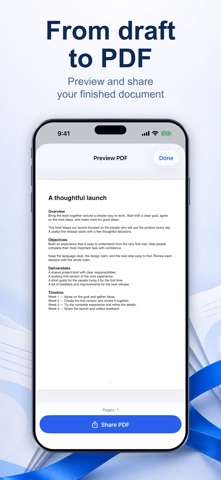
Docs helps you prepare meeting notes, project briefs and formal letters on your iPhone. Start with a blank page or one of four templates, then organize your words into editable sections. Keep documents on your device, search their titles and text, and sort them into Work, Personal or Study. Save versions, restore earlier content and recover documents from Trash. Choose a page size and type style, preview the result and share a paginated PDF with selectable text. The free plan includes three active documents, all starter templates, editing, saved versions and PDF export. Docs Pro enables more active documents and saving your own reusable templates. Existing documents remain available to edit, recover and export after a subscription ends. An internet connection is required at launch to load app configuration. Document contents are not uploaded by Docs; they leave your device when you choose to share. Docs creates documents in its own workspace and exports PDF. It does not import or edit DOCX files. Optional subscriptions renew automatically unless cancelled. Available prices, billing periods and eligible introductory offers are shown before purchase. Manage or cancel in your App Store account settings. Privacy Policy: https://docslane-9f4e1b.web.app/privacy.html Terms of Use: https://docslane-9f4e1b.web.app/terms.html Apple EULA: https://www.apple.com/legal/internet-services/itunes/dev/stdeula/
Details