

CosmicTitan Mobile
海平 陈 · Productivity
Independent analytics for this App Store listing. AppTracker is not affiliated with 海平 陈.
Chart standing · US
What changed · US
Listing changes AppTracker has observed for this app in this storefront — new versions, price moves, rating shifts, and store copy.
1. Evaluate received-power uniformity, coefficient of variation, weakest cells, and cell deviations. 2. Inspect a cell crosstalk matrix with exclusive nearest-receiver assignment and full CSV export. 3. Scan 11 receiver radii to compare own-cell capture, crosstalk, and unassigned power. 4. Explore a 7×7 receiver-alignment map against a capture threshold. 5. Rank candidates by capture or uniformity and compare nondominated trade-offs within the finite scan. 6. Compare nine incidence angles within the thin-phase model. 7. Evaluate 12 manufacturing-variation samples with position, dual-axis focal-length errors, and repeatable seeds. 8. Budget detector-channel SNR using responsivity, dark current, bandwidth, and input current noise. 9. Compare exposure-averaged scrambling contrast across five initial-phase seeds. 10. Compare individual cells against a baseline, matching identities and identifying added or removed cells. Also includes freeform microlens shapes, aperture/focus/layout editing, array assembly and optical-path insertion, per-cell spots, finer-sampling comparisons, alignment sensitivity, and the fiber-scrambling lab. Retains the iPad workspace with adaptive layouts, collapsible details, and bilingual guidance. Improved sidebar behavior, node-anchored menus, and workspace/branch-result visibility. The launch screen waits for Enter Workspace instead of an automatic countdown.
Screenshots



About
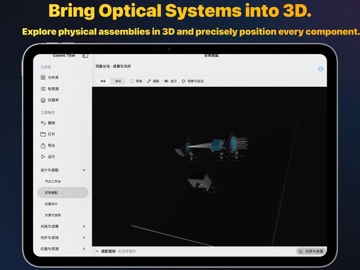
Explore optical systems on mobile devices. cosmic titan mobile is a native workspace for learning, teaching and exploring optical models. Combine lenses, mirrors, beam splitters, filters, fibres and detectors to study how design parameters affect results. BUILD OPTICAL SYSTEMS • Organize optical paths with nodes and port connections. Edit component parameters and propagation distances. • Inspect 3D physical assemblies and adjust positions, orientations, alignment, locks and component replacements. • Start with built-in examples and save custom components and reusable subassemblies. EXPLORE RAYS, IMAGING AND WAVES • Work with paraxial ABCD networks, geometric rays and curved-surface Snell tracing. • Explore spots, wavefronts, pupil diffraction and 2D angular-spectrum propagation. • Use separate experiments for non-sequential tracing, filters, coatings and spectrometer design. STUDY FIBRES AND PHOTONICS • Explore scalar modes, two-mode fibre-grating coupling and scalar BPM in prescribed tapers. • Inspect ideal AWG port spectra, IFU geometry and calibration reconstruction. • Use numerical experiments including 2D FDTD ports, with model explanations to guide interpretation. COMPARE AND KEEP RESULTS • Compare design conditions with parameter scans, tolerances and detector analysis. • Import and export .titan projects through Files and exchange compatible projects with the Mac version. • Export supported analysis results as CSV, JSON or FITS, depending on the module. Category menus, a separate component library and an inspector keep the iPad workspace focused. Core calculations run locally without an account. Simplified Chinese and English interfaces are included. MODEL SCOPE The app includes geometric, scalar and idealized research models. Solver scope varies by module, and some experiments are independent of the assembly path. It does not provide arbitrary full-vector 3D electromagnetic solving across all modules or manufacturing-grade validation. Interpret results using the stated units, sampling conditions, model limitations and independent experiments. Requires iPadOS 17.0 or later.
What's new · 1.26.6
1. Evaluate received-power uniformity, coefficient of variation, weakest cells, and cell deviations. 2. Inspect a cell crosstalk matrix with exclusive nearest-receiver assignment and full CSV export. 3. Scan 11 receiver radii to compare own-cell capture, crosstalk, and unassigned power. 4. Explore a 7×7 receiver-alignment map against a capture threshold. 5. Rank candidates by capture or uniformity and compare nondominated trade-offs within the finite scan. 6. Compare nine incidence angles within the thin-phase model. 7. Evaluate 12 manufacturing-variation samples with position, dual-axis focal-length errors, and repeatable seeds. 8. Budget detector-channel SNR using responsivity, dark current, bandwidth, and input current noise. 9. Compare exposure-averaged scrambling contrast across five initial-phase seeds. 10. Compare individual cells against a baseline, matching identities and identifying added or removed cells. Also includes freeform microlens shapes, aperture/focus/layout editing, array assembly and optical-path insertion, per-cell spots, finer-sampling comparisons, alignment sensitivity, and the fiber-scrambling lab. Retains the iPad workspace with adaptive layouts, collapsible details, and bilingual guidance. Improved sidebar behavior, node-anchored menus, and workspace/branch-result visibility. The launch screen waits for Enter Workspace instead of an automatic countdown.
Details