

Vocabulary Widget: Zarafa
Dzmitry Branchuk · Education
Independent analytics for this App Store listing. AppTracker is not affiliated with Dzmitry Branchuk.
Chart standing · US
What changed · US
Listing changes AppTracker has observed for this app in this storefront — new versions, price moves, rating shifts, and store copy.
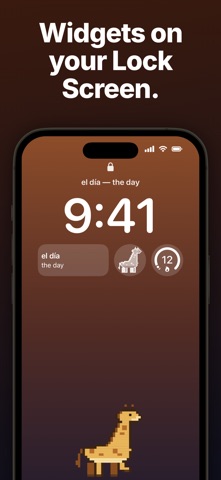
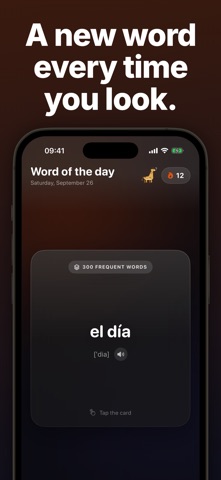
• All your daily words — get as many as your pace sets. Mark one and the next appears. • Smart reviews — a new word returns tomorrow, a known one after 3, 7, 14 and 30 days. • Skip what you know — quick topic check and an "I know it" button. • Reverse cards — see the translation, recall the word. • Stats for each language. • Tap the widget to get the next word. • Widget with transcription — the word and how to say it, right under the clock.
Screenshots



About
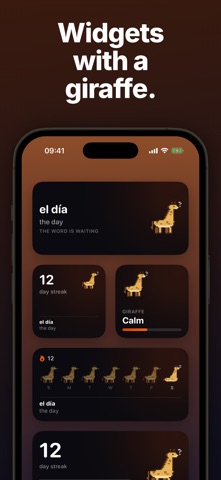
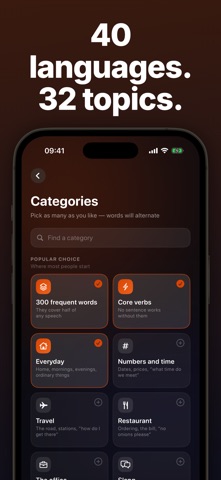
A language isn't learned in an hour a day. It's learned in a hundred glances at your screen. Zarafa puts a word from the language you're learning exactly where you already look fifty times a day — the Lock Screen and the Home Screen. Unlock your phone, read a word. No session to start, no lesson to finish. • 40 languages: Spanish, French, German, English, Italian, Portuguese, Turkish, Japanese and more • 32 topics: the 300 most frequent words, essential verbs, travel, airport, restaurant, work, medicine, slang, idioms, false friends • Widgets in every size, on the Lock Screen, plus Live Activity • Translated into your native language, not through English • Works offline — the starter dictionary ships inside • Pronunciation out loud, and stats without streak guilt Put the widget on your screen and the words will start finding you. Terms of Use: https://www.apple.com/legal/internet-services/itunes/dev/stdeula/ Privacy Policy: https://dbranchuk.github.io/zarafa/privacy-policy.html
What's new · 1.4
• All your daily words — get as many as your pace sets. Mark one and the next appears. • Smart reviews — a new word returns tomorrow, a known one after 3, 7, 14 and 30 days. • Skip what you know — quick topic check and an "I know it" button. • Reverse cards — see the translation, recall the word. • Stats for each language. • Tap the widget to get the next word. • Widget with transcription — the word and how to say it, right under the clock.
Details