

Hummidi: Audio to MIDI
Jhomar Maravillas · Music
Independent analytics for this App Store listing. AppTracker is not affiliated with Jhomar Maravillas.
Chart standing · US
Screenshots


About
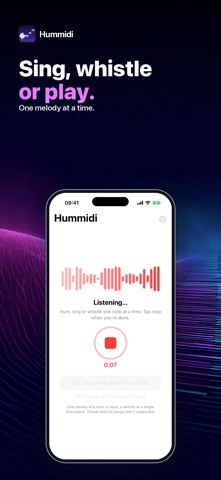
Got a tune in your head? Hum it. Hummidi turns one melody line — hummed, sung, whistled or played on a single instrument — into a standard MIDI file you can open in your music app. It runs on your iPhone: nothing is uploaded. Record straight into the app, or choose a voice memo, an audio file or a video. Hummidi finds the notes, shows them on a piano roll and plays them back so you can hear the result before you export anything. • RECORD OR IMPORT — record with the microphone, or pick an audio file (m4a, mp3, wav and more) or a video. • SEE THE NOTES — every note on a piano roll, with the note count and range. • LISTEN FIRST — play the MIDI and the original back to back. • SHAPE THE FILE — set the tempo, snap notes to a 1/8 or 1/16 grid or keep your own timing, transpose up to an octave either way, and choose the instrument written into the file. • A REAL MIDI FILE — a standard .mid that opens in music and notation apps. • STAYS ON THE DEVICE — the microphone is used only while you record. No account, no upload. Hummidi reads ONE melody at a time: a voice, a whistle or a single instrument. It does not transcribe chords, full songs or a melody inside a mixed track with other instruments. For the best result, hum clearly, one note at a time, close to the microphone. Questions: overlapmarr@gmail.com
Details