

Bezelly: Screenshot Mockup
Jhomar Maravillas · Graphics & Design
Independent analytics for this App Store listing. AppTracker is not affiliated with Jhomar Maravillas.
Chart standing · US
Screenshots


About
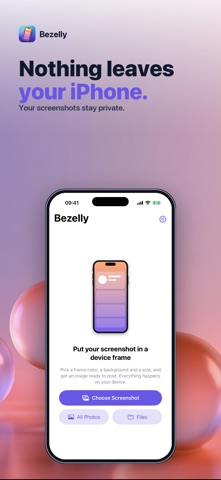
Make any screenshot look finished. Bezelly puts it inside a clean device frame on a background of your choice, ready to post, pitch or present. It all happens on your iPhone or iPad: nothing is uploaded. Choose a screenshot and Bezelly picks the right frame from its size — a modern phone with an island, a phone with a notch, a classic phone with a home button, or a tablet. Landscape screenshots get a landscape frame. Any other size gets a simple rounded frame that keeps its exact shape. • FIVE FRAME COLORS — black, silver, gray, gold and white. • BACKGROUNDS — a see-through PNG, a solid color, a gradient, or a soft blur of the screenshot itself. • READY-MADE SIZES — fit to the frame at full resolution, or 4:5, 9:16, 1:1 and 16:9 for posts, stories and slides. • HEADLINE — add one line of text above the device. • SHARP — your screenshot is placed at its own resolution, never stretched; wide-color screenshots keep their colors. • SEE IT FIRST — the finished image is ready to look at before you decide anything. The frames are drawn by the app as simple shapes and fit iPhone and iPad screenshots. Questions: overlapmarr@gmail.com
Details